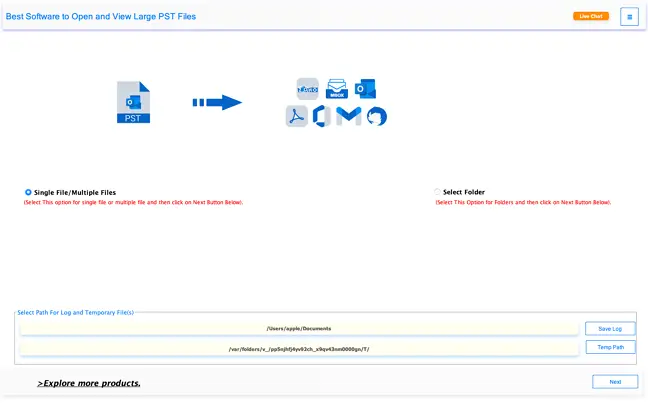
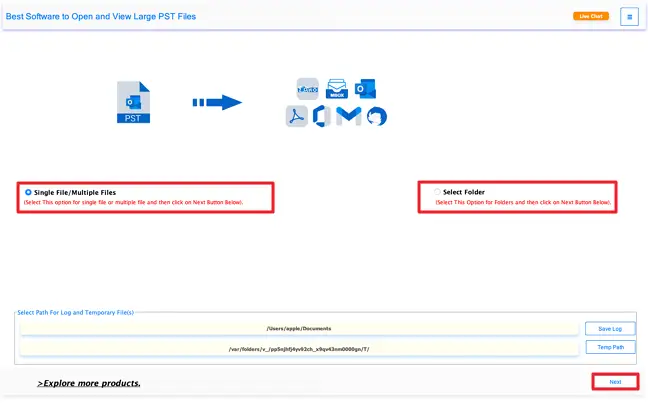
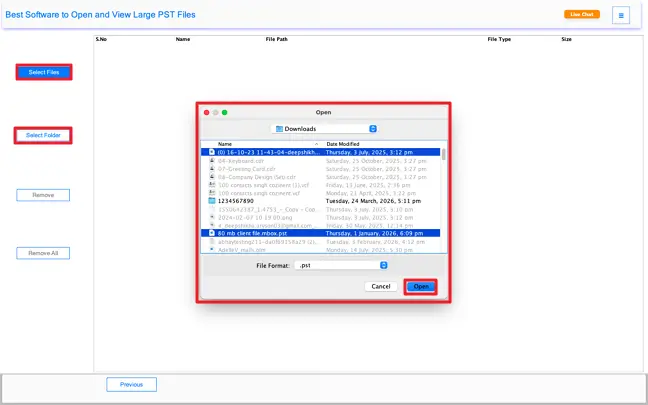
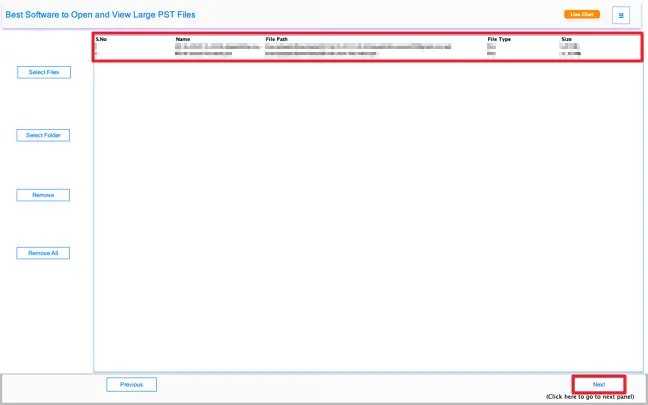
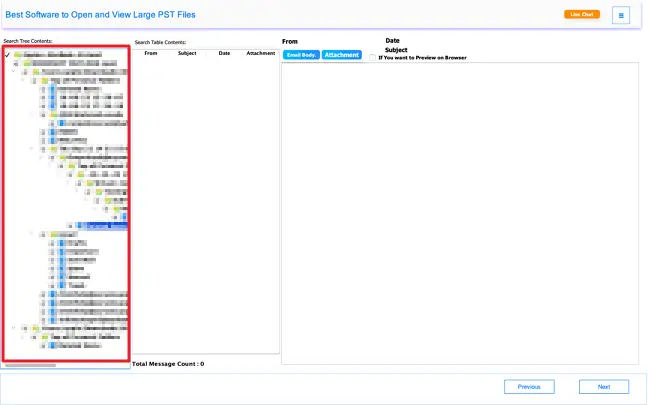
The tool reads without modifying anything. Mac users get the same full experience, which matters since native PST support on macOS is essentially nonexistent. Let’s see how we can use this smart utility in easy steps.
Why Do We Need CloudXena PST File Reader?
Opening a PST file isn't always as simple as double-clicking it. Without an active Outlook installation, most users hit a dead end — and that's exactly where CloudXena PST File Reader steps in. Whether you're dealing with orphaned files from an old profile, PST data left behind by a damaged installation, or archives created in an older Outlook version, this tool opens them all without any fuss. For individuals and teams managing large collections of PST files, reviewing them one by one simply isn't practical — the tool lets you load and scan everything in bulk, saving both time and effort.
PST Viewer Pro lets you view the complete content of any PST file, including all attachments. When converting, you also have the option to skip attachments if you don't need them in the output.
You can convert your PST files into a wide range of formats such as PDF, MBOX, HTML, MSG, CSV, EML, EMLX, and more — all while keeping your data safe throughout the process.
Don't want to convert everything? Simply set a start and end date using the date filter, and the tool will only convert emails that fall within that range — nothing more, nothing less.
The tool scans your PST files and removes duplicate entries automatically. It checks across multiple fields, including To, From, Subject, Body, and BCC, even when processing batch files.
If your PST file is too large to manage, the tool lets you break it down into smaller, more manageable files. This works across all mailbox items, including emails, contacts, calendars, and events.
You get full control over where your converted files are saved and what they're named. This makes it much easier to stay organized and locate your files afterward.
The free version gives you a real feel of the software. You can preview unlimited PST files and convert up to 50 emails per folder at no cost, with access to all the core features.
Whether you're running an older version of macOS or the latest release, the software works smoothly across all of them without any compatibility issues.
Key --
Software: CloudXena PST File Viewer Tool
Version: 26.3
Size: 261 MB
License: S/A/E/T
System Requirements --
Processor: Mac System with Apple Silicon Processor M1, M2, M3, and M4 series
Memory: 8 GB (16 GB Recommended)
Operating System: macOS 10.13 High Sierra, macOS 11 Big Sur, macOS 12 Monterey, macOS 13 Ventura, macOS Sonoma, and later versions of macOS (10.15 "Catalina").
Technical Guide --
Note: The Demo version allows you to preview and convert upto 50 emails per folder, apart from functionality evaluation and performance review.
| Software Feature | Demo Version | Paid Version |
|---|---|---|
| View PST files in batch | ||
| Read PST files without Outlook | ||
| Convert PST files into MBOX, PDF, etc. | 50 emails per folder | Unlimited |
| Convert selective data | ||
| Scan and preview attachments | ||
| Remove duplicate/identical data | ||
| Set custom file name and save location | ||
| Split large converted PST files | ||
| 24/7 technical support | ||
| Money-back guarantee | Download | Purchase Now |
Testimonials
We have been helping users manage and migrate their data safely for over a decade. Along the way, countless customers have taken the time to share what their experience with our tools has been like. Here are a few of their honest thoughts.
"We had a bunch of old PST files on the server that no one could get into after we stopped using Outlook. Tried a couple of things before this, and nothing worked properly. CloudXena opened them all without a fuss. We previewed what we needed and dumped the rest into a PDF for the archive. Saved us a solid few hours of headaches."
James R.
— IT Administrator, USA
"Needed specific emails from a PST file for a case and couldn't risk touching the original. Used the date filter to narrow it down and converted just that portion. Took maybe ten minutes total. No drama, no data loss. Did exactly what I needed it to do."
Priya M.
— Legal Assistant, UK
"I downloaded the free version just to see if it was worth it. Ran it on a couple of folders, and the output was clean. Bought the full version that same afternoon. The MBOX conversion went through without a single problem, and it was quicker than I thought it would be."
David K.
— Small Business Owner, Canada
"I downloaded the free version just to see if it was worth it. Ran it on a couple of folders, and the output was clean. Bought the full version that same afternoon. The MBOX conversion went through without a single problem, and it was quicker than I thought it would be."
David K.
— Small Business Owner, Canada
"Moved from Windows to Mac last year, and my old PST files were just sitting there useless. A friend told me to try this, and it worked the first time. No Outlook, no complicated steps — just added the files and everything was right there. Wish I'd found it sooner."
Sophie L.
— Freelance Consultant, Australia
"The duplicate removal was the main reason I got it, and it did not disappoint. My PST files had been merged a few times over the years, so there were repeated emails everywhere. One run through the tool, and it was all cleaned up. Does what it says, no exaggeration."
Charlie T.
— Data Analyst, Indonesia
"We were switching email platforms and had years' worth of PST data to move over. The bulk conversion handled it without any hiccups. We did have one question about the output format, and the support team got back to us quickly. Straightforward experience from start to finish."
Karen W.
— Office Manager, New Zealand