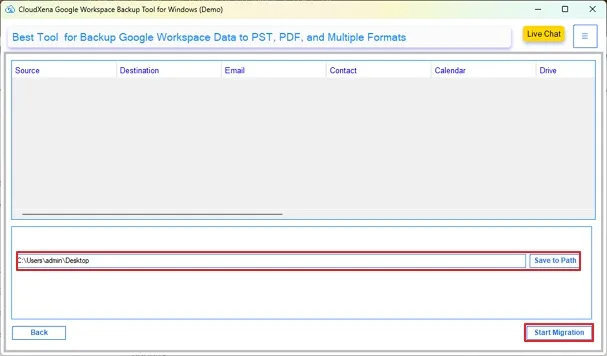
CloudXena Google Workspace Export Tool is a user-friendly solution built for flawless data transfers across Workspace environments. It enables secure OAuth logins into Workspace accounts, ensuring safe access to enterprise data. With a streamlined interface, the smart software helps both technical and non-technical users in managing G Suite data with confidence and operational ease.
Why Do We Need CloudXena G Suite Backup Software?
CloudXena simplifies secure, error-free Google Workspace data transfers with built-in de-duplication features and ensures full data fidelity. Intelligent controls and advanced filtering capabilities accelerate performance for multi-account migrations while safeguarding critical emails and business information.
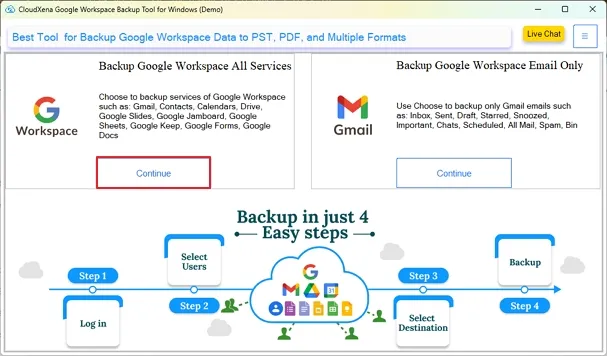
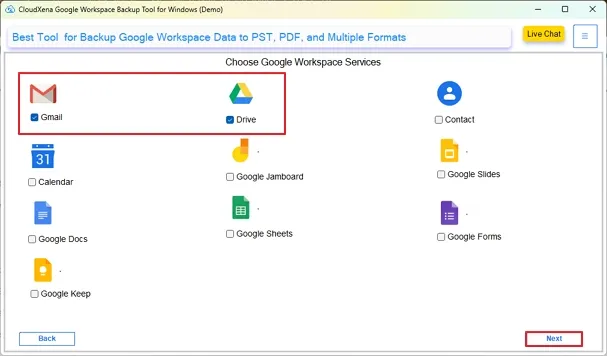
Execute full-scale Google Workspace migration covering all core services- Gmail, Google Drive, Google Sheets, Google Docs, Google Calendar, Google Contacts, Google Keep, Google Forms, Google Slides, and Google Jamboard for secure, accurate, and scalable data transfer across enterprise grade envoirnments.
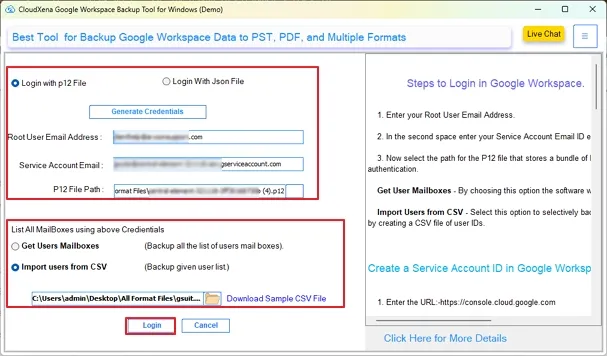
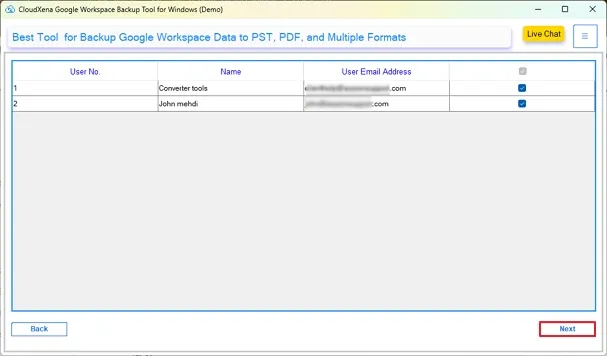
This CloudXena Google Workspace Backup Software allows secure and efficient backup of individual and multi-domain user accounts at once. Users can authenticate a single mailbox with p12 or JSON file login or execute bulk backup with CSV imports. With centralized control, it ensures 100% accurate and scalable data exports.
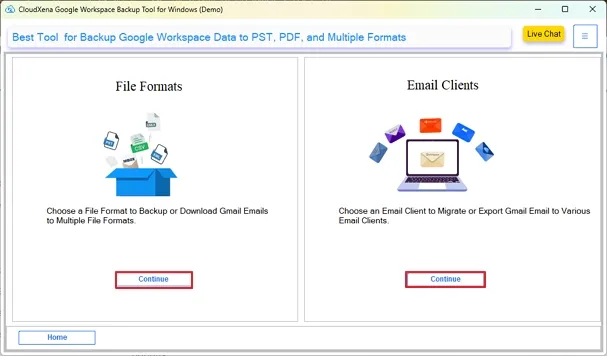
This advanced CloudXena G Suite Backup Tool enables simplified export of Gmail emails to PST, PDF, MBOX, CSV, MSG, EML, and EMLX formats. Also, import Google Drive data directly in their native formats and save Calendars as ICS files, Sheets as XLSX, Docs as DOCX, and Contacts as VCF files on your local system with ease.
Efficiently backup and migrate Google Workspace emails to Hotmail, Gmail, Office 365, G Suite, IMAP, iCloud Mail, Zoho Mail, Yahoo Mail, and AOL Mail. Built for scalability and precision, the excellent tool ensures structured mailbox retention and streamlined transfer via browser authentication for modern infrastructures.
This intelligent Google Workspace Backup Tool functions offline and has no database storage. It uses secure OAuth Modern authentication directly from the browser and doesn’t retain your credentials or mailbox data. Moreover, it safeguards your sensitive data with forensic-level integrity, full data fidelity, and intact folder structure.
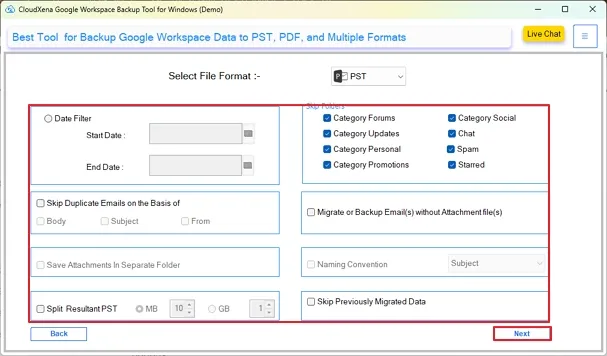
The built-in de-duplication feature in the software allows to remove duplicates based on Body, Subject, and From, optimizing storage utilization and maintaining a clean backup. The advanced Date Range Filter ensures time-bound backup for a particular period specified with the Start and End Date for efficient transfer operations.
CloudXena Google Workspace Backup Software enables precision-driven backup with advanced incremental migration using Skip Previously Migrated Data and granular selection with Skip Folders filters. Selectively backup specific G Suite data based on different categories like Forum, Update, Personal, Promotion, Social, Starred, Chat, and Spam for resource-efficient data management.
Google Workspace Backup Tool provides attachment handling solutions to support storage-efficient Google Workspace backups. Choose to Migrate or Backup without Attachment or Save Attachments Separately while preserving original folder hierarchy. It ensures controlled data handling, easy accessibility, and optimized storage utilization without complexities or affecting mailbox integrity.
Google Workspace Data Backup Tool has a key feature for PST size management to prevent oversized Outlook data files. It has a filter to split large PST files into smaller segments based on user-defined size limits, whether in MB or GB. This ensures optimized Outlook performance, improved storage control, reduced risk of corruption, and structured mailbox accessibility for large data backups.
Ultimate CloudXena G Suite Backup Tool offers advanced Naming Convention and flexible path selection options. Define custom names based on specific variables like Date, Subject, and From identifiers for the standard backup organization and easy access to Google Workspace data. Choose a preferred storage path and check detailed log reporting for transparency and audit readiness.
CloudXena Google Workspace Backup Tool features an interactive and intuitive GUI for all technical and non-technical users. The trial version allows backup of 50 emails per folder and 15 items per service, allowing functional evaluation before upgrading to the premium version for complete, unrestricted, and precise backup.
This dependable and trusted expert solution is fully compatible with Windows 11, Windows 10, 8.1, 8, 7, and all other earlier versions across modern and legacy environments. It provides uniform results regardless of Windows version, ensuring reliable Workspace data backup across diverse infrastructures.
Key --
Version: 26.01
Size: 243 MB
License: S/A/T/E
System Requirements --
Processor: Apple Silicon M1, M2, M3, M4, and newer Apple Silicon processors (including M5)
Memory: 500 MB required (1 GB recommended)
Operating System: macOS 10.13 High Sierra, macOS 11 Big Sur, macOS 12 Monterey, macOS 13 Ventura, macOS Sonoma, and later versions macOS (10.15 "Catalina") versions.
Technical Guide --
Note: The Demo version allows you to preview and convert upto 50 emails per folder and 15 items per supported service, apart from functionality evaluation and performance review.
| Software Feature | Demo Version | Paid Version |
|---|---|---|
| Save Google Workspace emails in PST, PDF, MSG, and other file formats | 50 emails per folder | All Data |
| Export Google Workspace data to Gmail, iCloud, IMAP, Office 365, and many more clients | 50 emails per folder | All Data |
| Download other Google Workspace service items locally | First 15 Items Only | All Data |
| Move data from multiple Google Workspace accounts | ||
| De-duplicate Workspace data | ||
| Selectively backup G Suite | ||
| Migrate without attachments or save them separately | ||
| Skip Folders and Previously Migrated Data | ||
| Assign Impersonation | ||
| Naming Convention | ||
| Define Target Destination | ||
| Wide OS Compatibility | ||
| Get 24/7 technical support | ||
| Download | Purchase Now |
Testimonials
For over a decade, we’ve helped users solve their data-related challenges with secure and reliable solutions. Many of our customers have shared their experiences with us. Here are a few of their thoughts.
“CloudXena Google Workspace Backup Tool provided a secure and flawless backup with precise filtering and zero duplication. Multi-account login via CSV import and secure p12 authentication worked reliably while preserving folder hierarchy and keeping data consistent throughout the backup process. It was exactly what was required.”
- Michael Thompson,
California
“We required a compliant Google Workspace data backup for multiple accounts and selective export into PST format on the local system. The CloudXena G Suite Backup Tool efficiently handled it, maintaining data fidelity. Additionally, advanced filters and the assign impersonation feature during export to Office 365 saved significant time without any loss.”
- Jennifer Anderson,
Florida
“From Gmail emails to Google Drive, Contacts, Calendars, Sheets, Docs, Forms, Keep, Slides, and Jamboard, the backup was simplified and highly secure. Smart filter options like deduplication, date range, skip previous migration, etc., made the process effortless and delivered clean and secure results. A reliable and trusted solution for enterprise-grade Google Workspace data migrations.”
- David Collins,
New York