- Software Working Process
- User Interface
Software Working Process
Follow these detailed steps to efficiently convert your PST files to various File Formats or Email Clients.
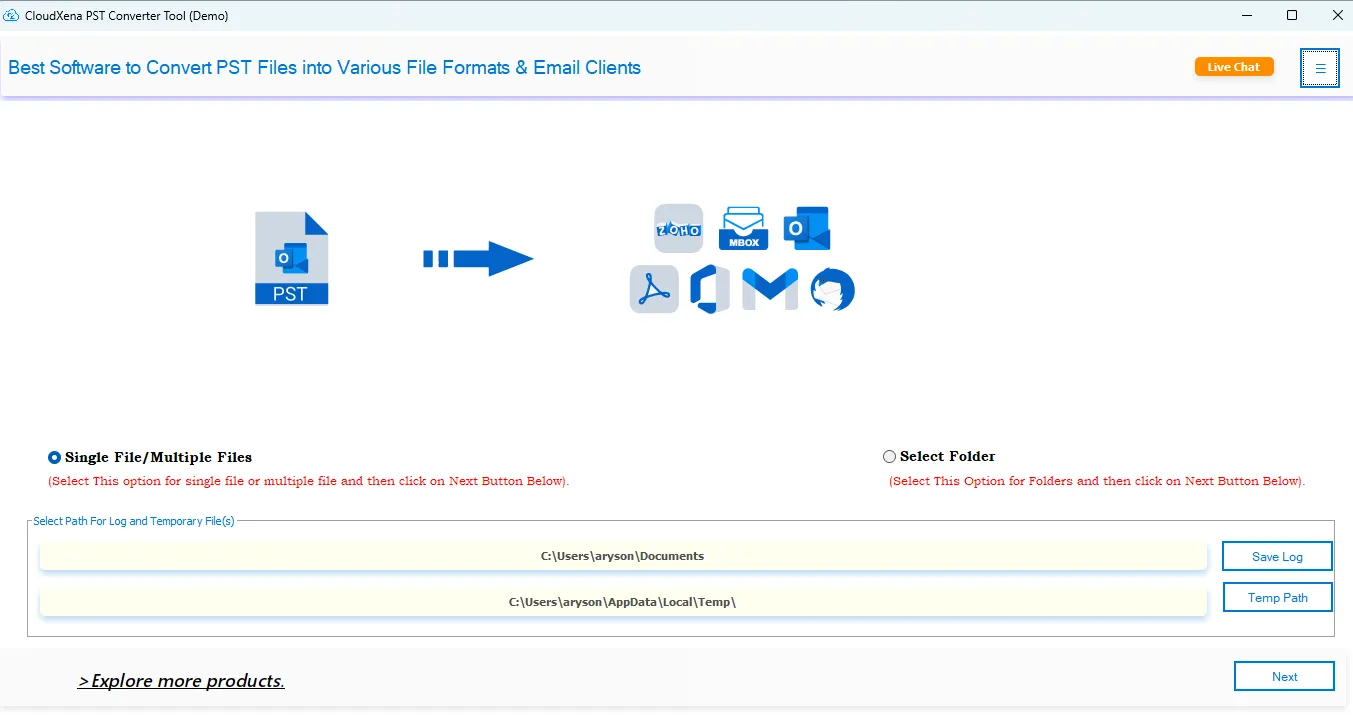
1: First, install and launch the CloudXena PST Converter tool on your system.
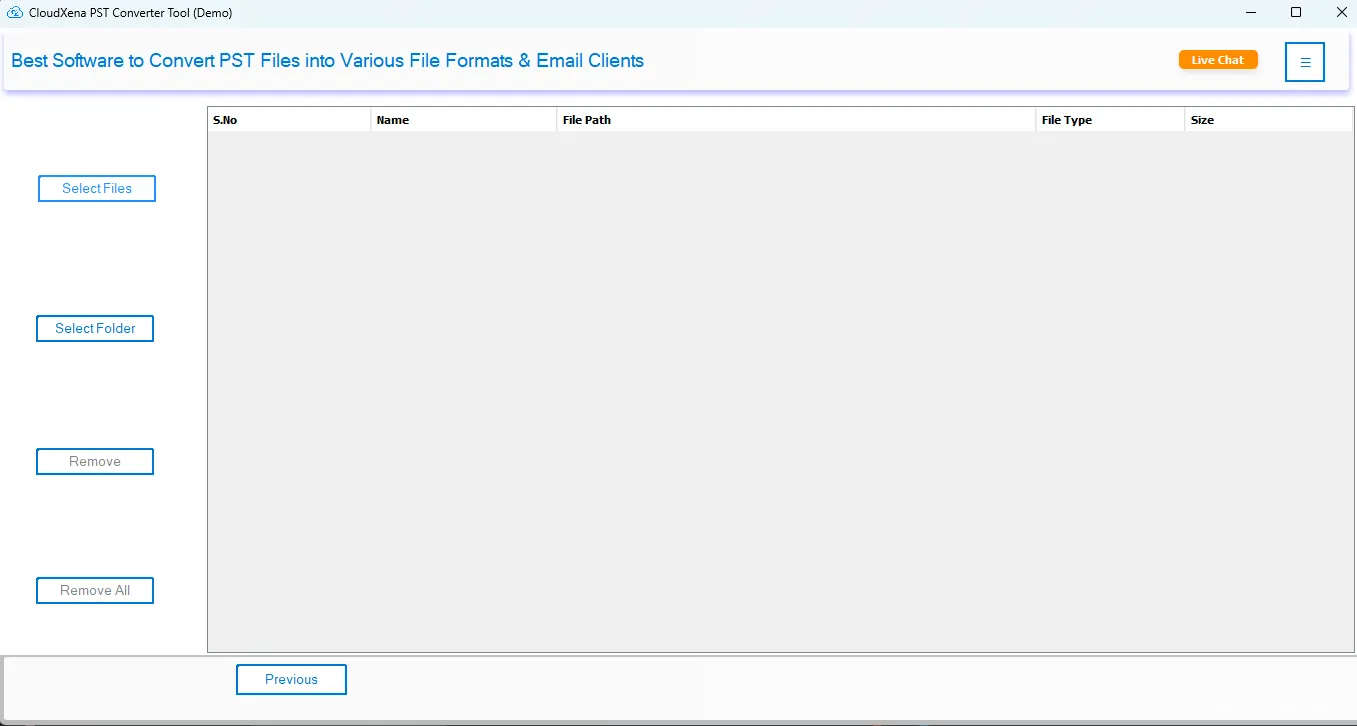
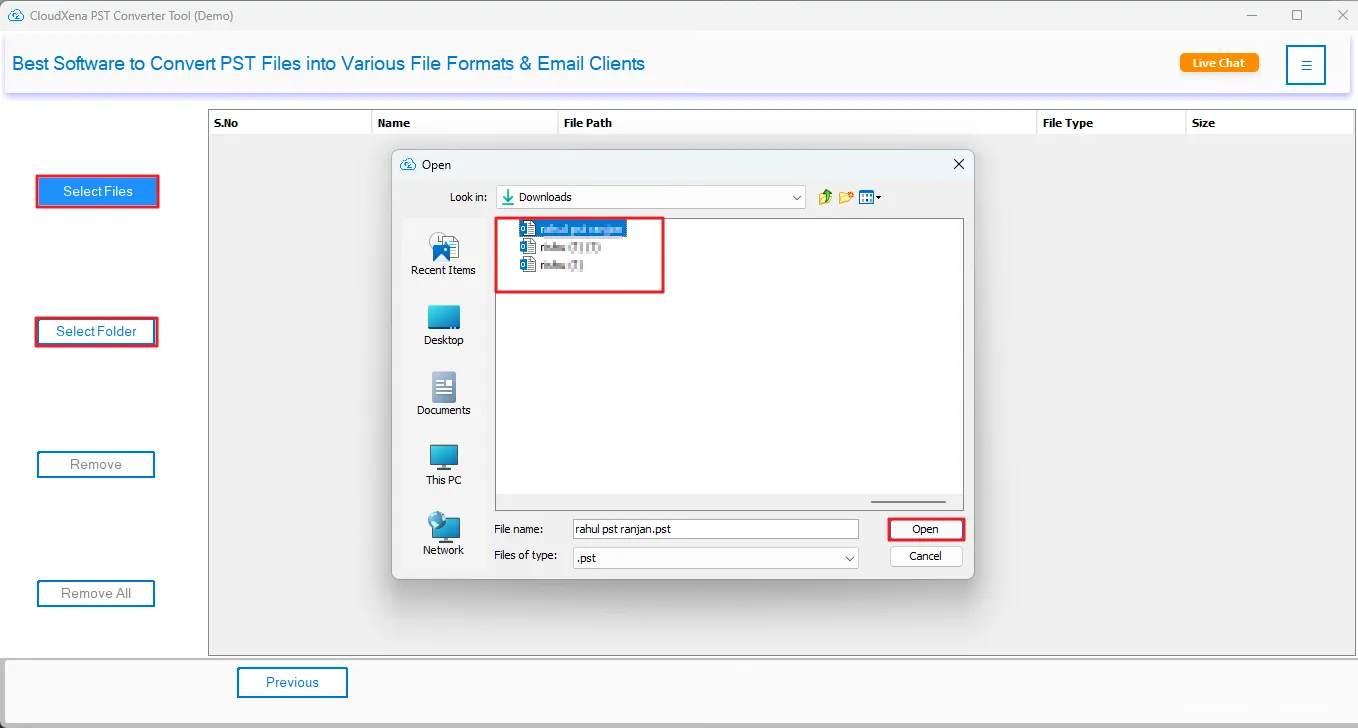
2: Then, click Select File(s) or the Select Folder option to browse and Open your PST files into the software.
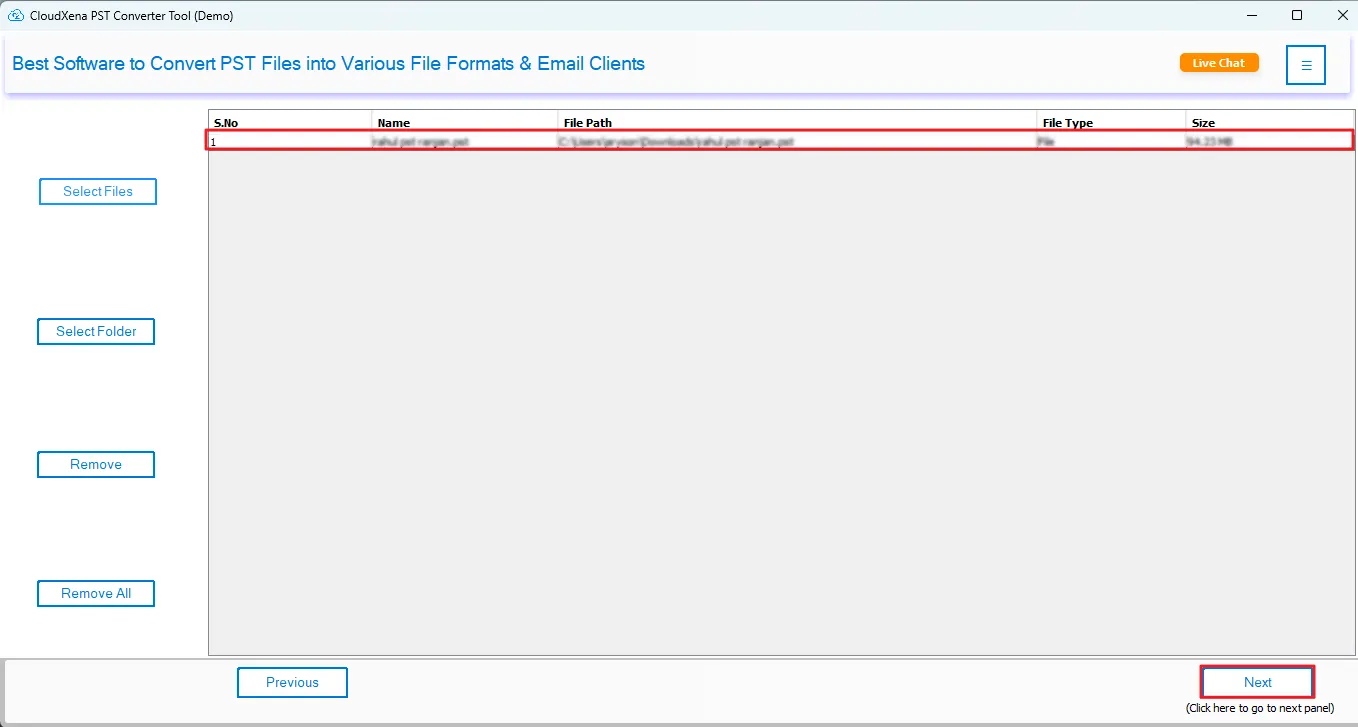
3: Then, once PST files are loaded, click Next to continue.
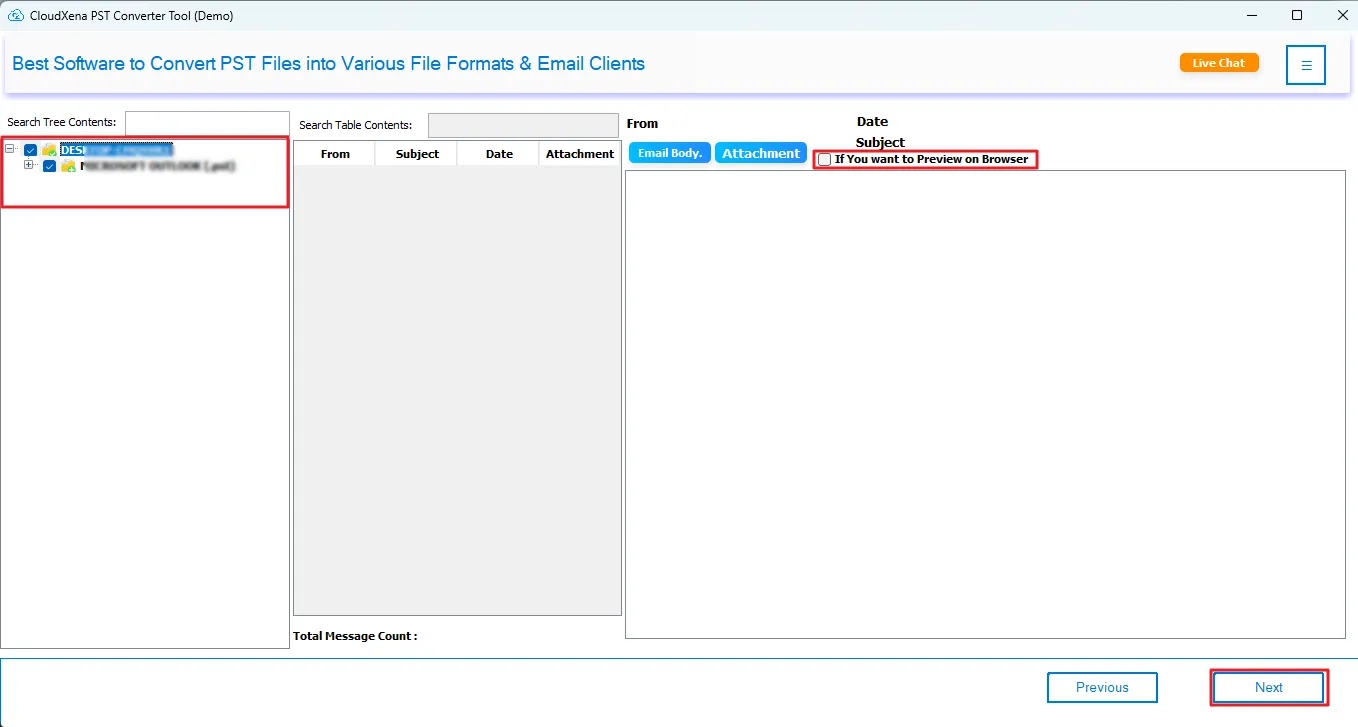
4: Now, expand the tree structure, select your email(s) or folder, enable the preview on browser option, and click Next.
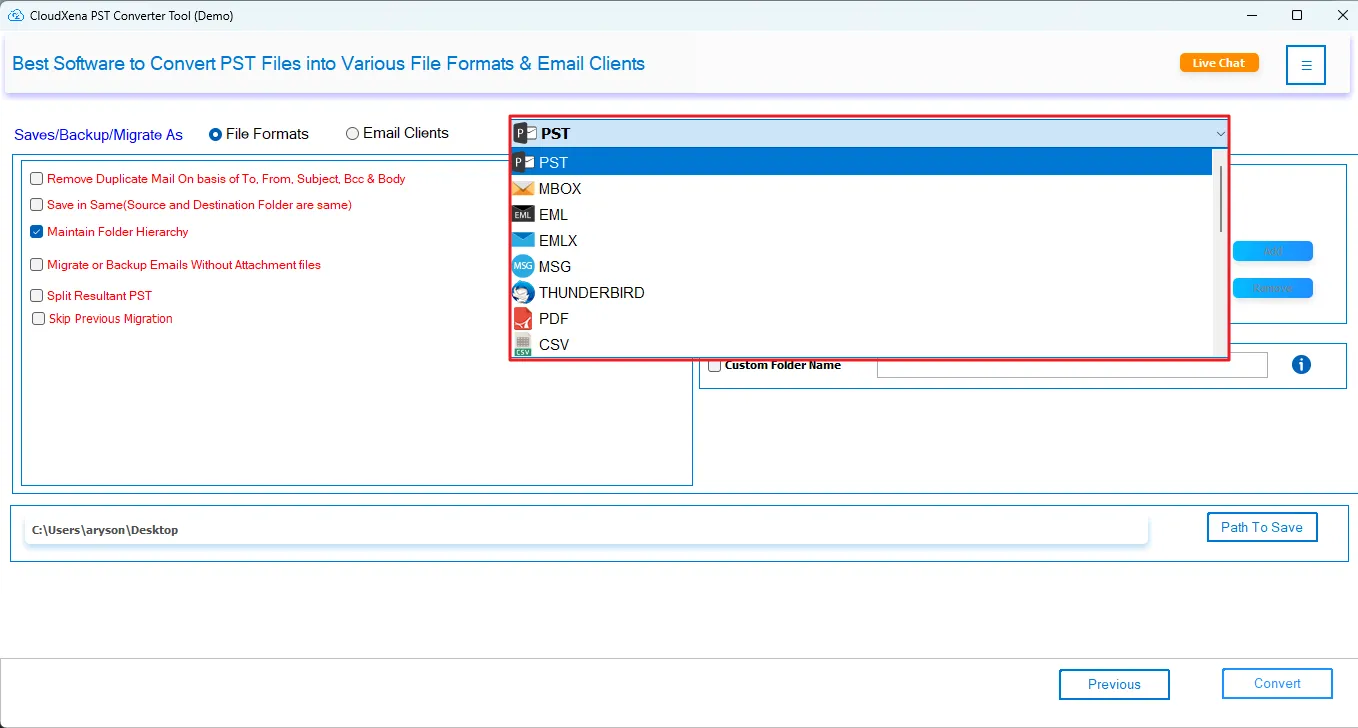
5: You can select any one from the given list of File Formats to convert PST files into.
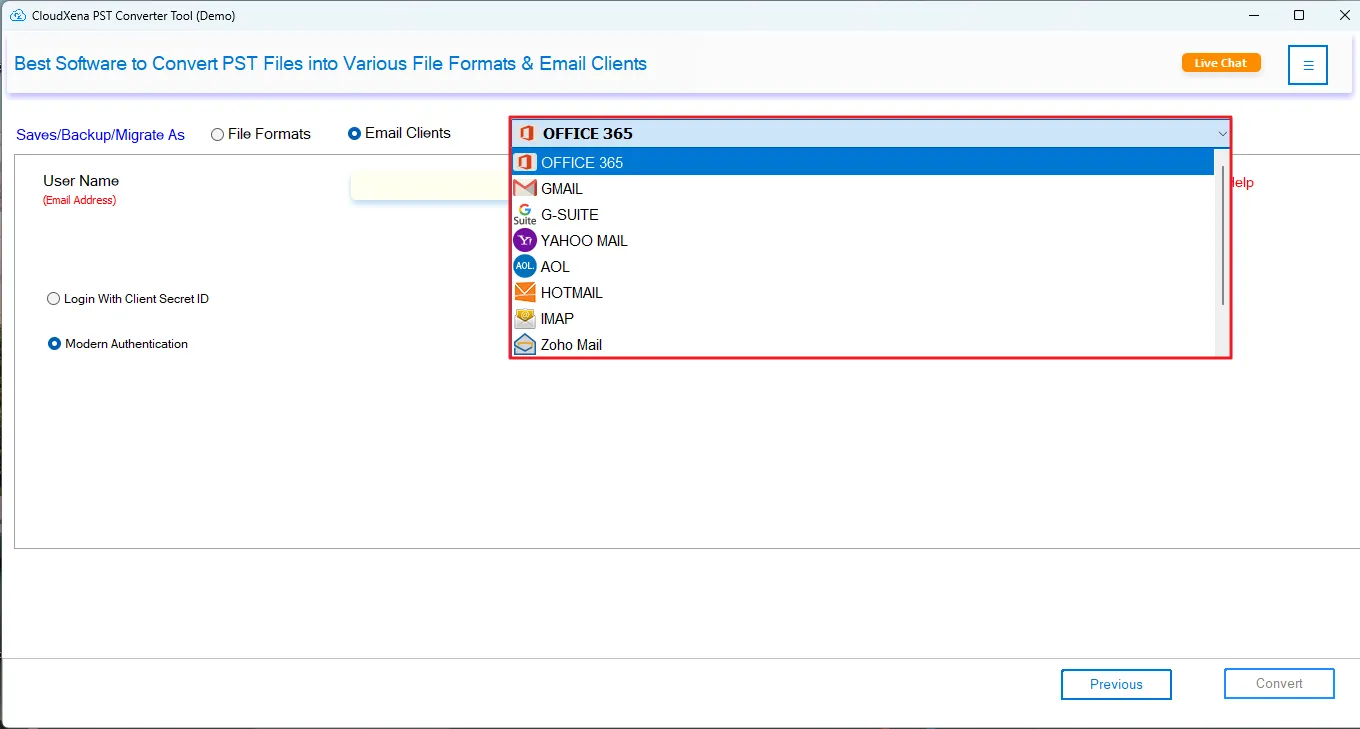
6: You can also select any Email Client in which you want to migrate your PST files. Simply login with your credentials and move on.
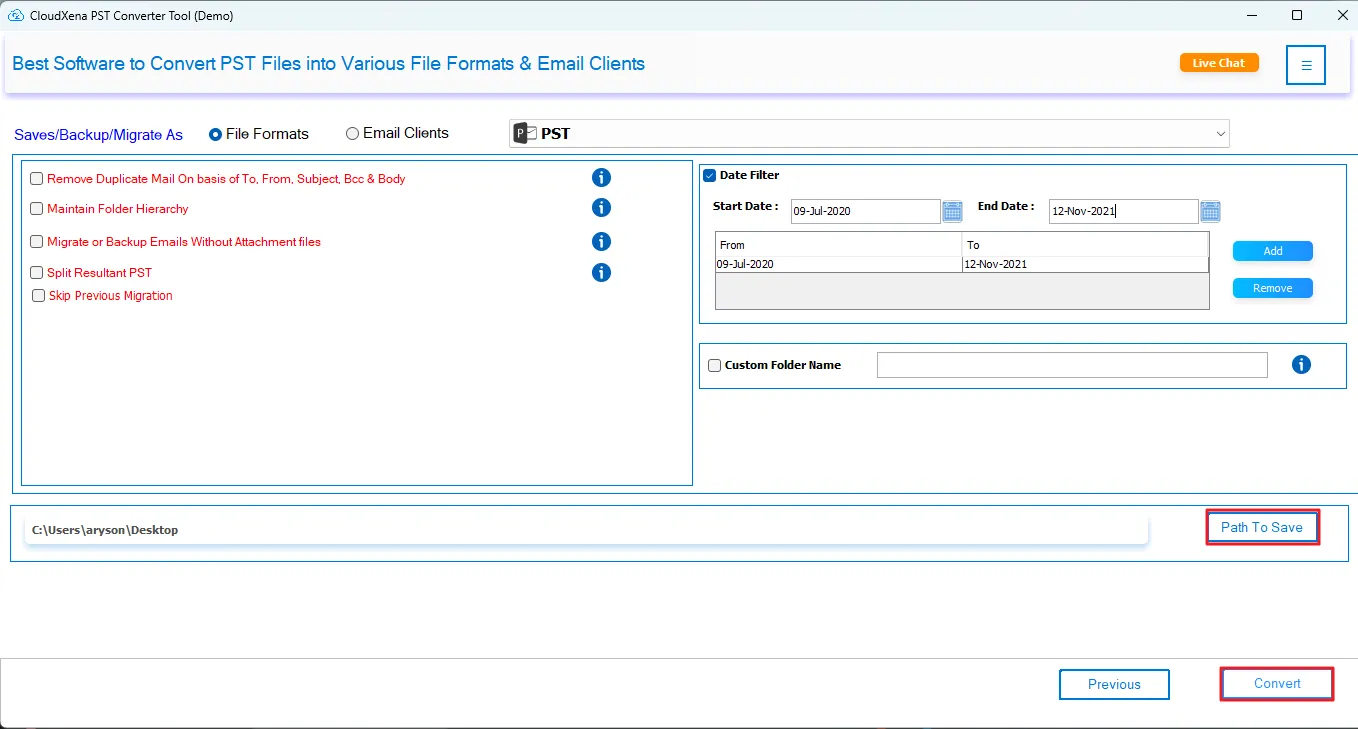
7: Here, we have selected PST as the Output File Format. After selection, apply advanced features and filters as needed.
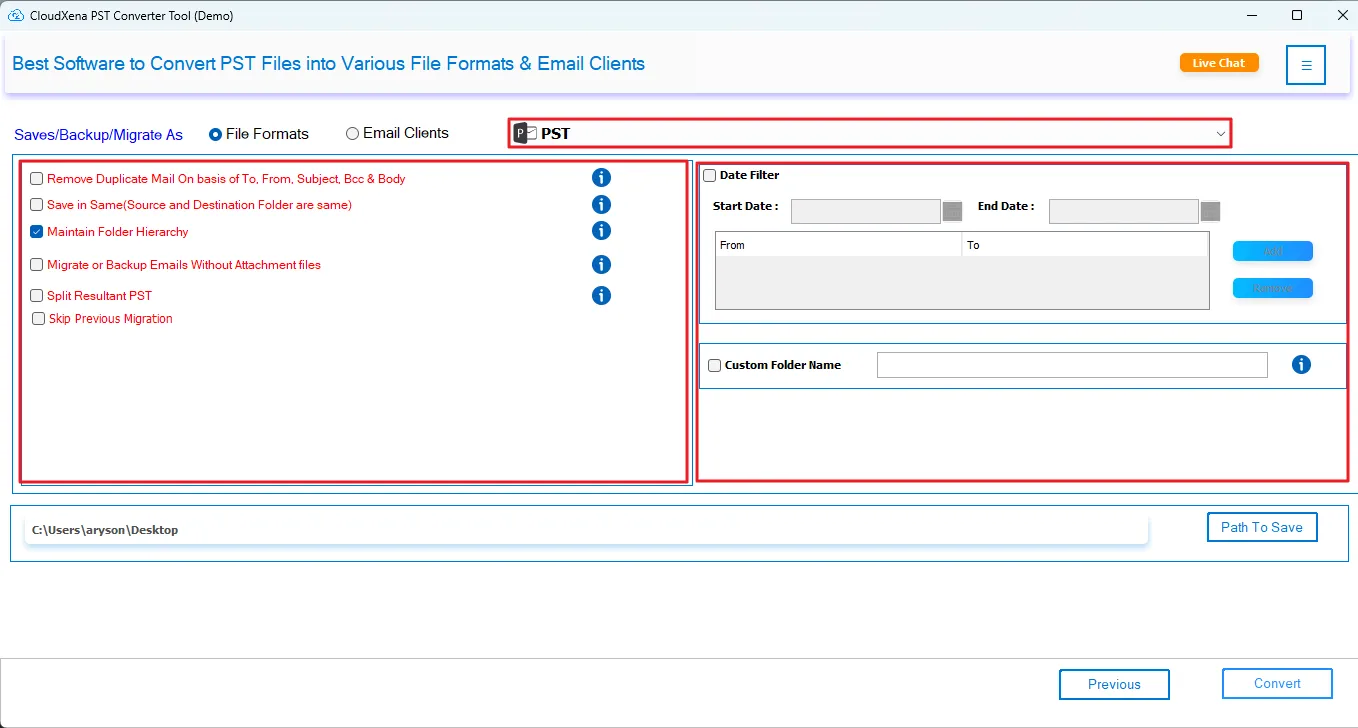
8: After that, choose the destination Path to Save and click the Convert button to start the migration process.
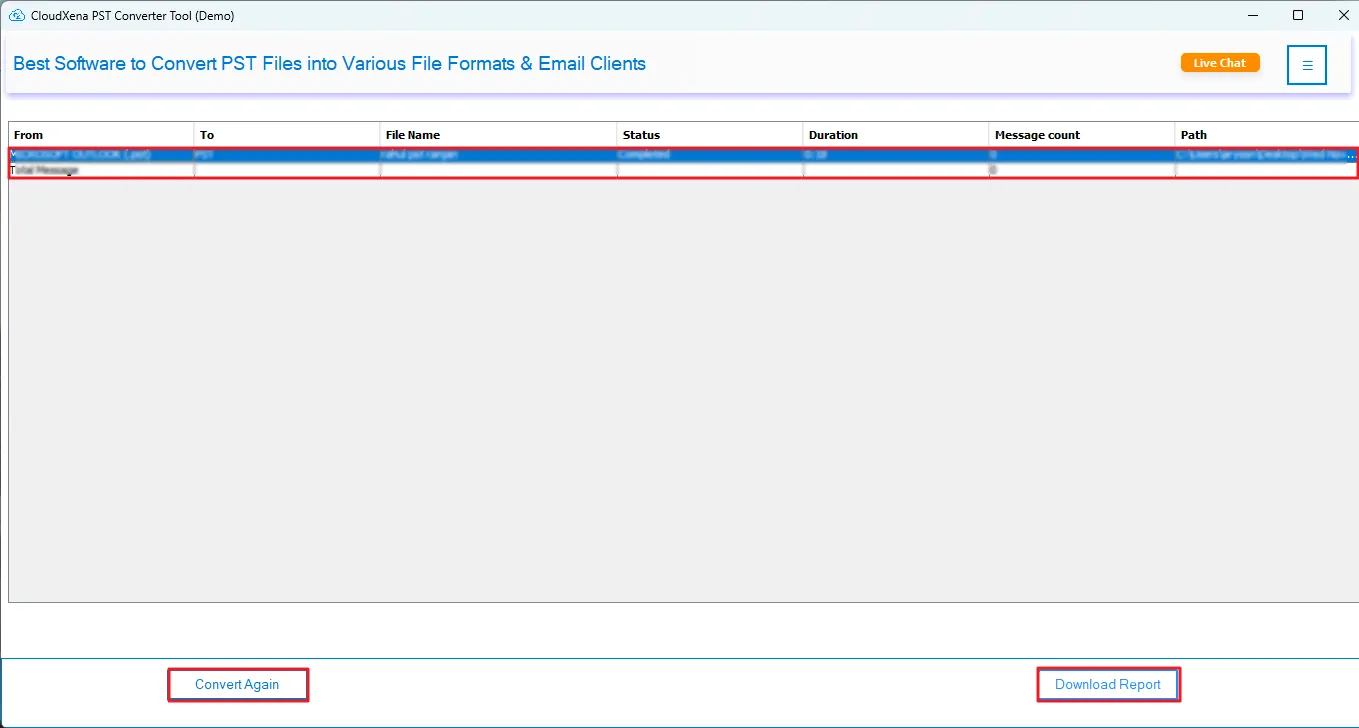
9: Once the process is complete, either click Download Report or Convert Again if needed.
Activate the Software
Installation & Uninstallation
Download the step-by-step installation or uninstallation PDF guides below:
Windows Installation Windows UninstallationUser Interface
Once you launch the tool, you will see the following interface at startup.