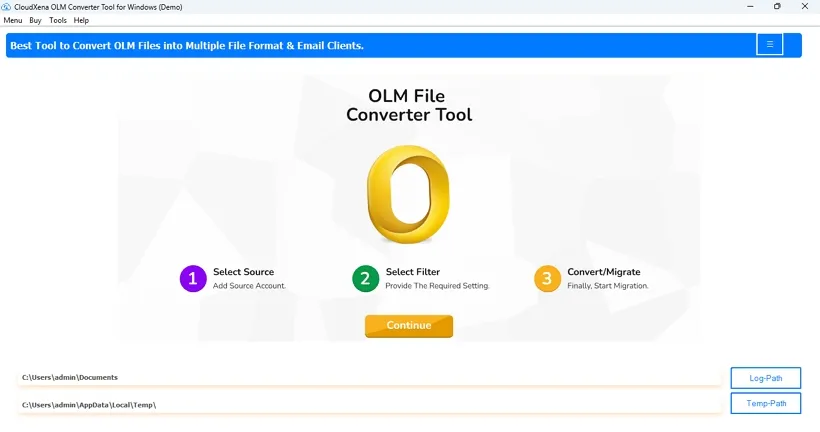
CloudXena OLM File Converter is a dependable and user-friendly software that simplifies Outlook for Mac conversion and offers precise results. The software provides users with a secure option to convert OLM files instantly in a few simple steps that even non-technical users can follow.
CloudXena helps convert OLM emails scalably, accurately, precisely, and flawlessly, ensuring no data loss. It also doesn’t require you to install MS Outlook and functions flawlessly across all OS, saving time, effort, and storage on your Outlook for Mac.
If you have multiple OLM files and don't want to convert them one by one, this feature handles all of them in one go. You can load your entire mailbox, and the tool will process emails, contacts, calendars, tasks, and notes together without you having to separate anything manually. There's no file size cap, so even large OLM file exports from years of email history can go through without getting stuck.
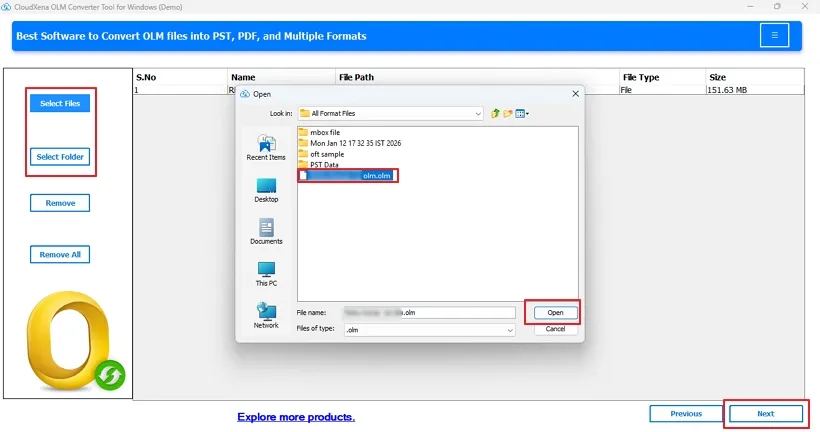
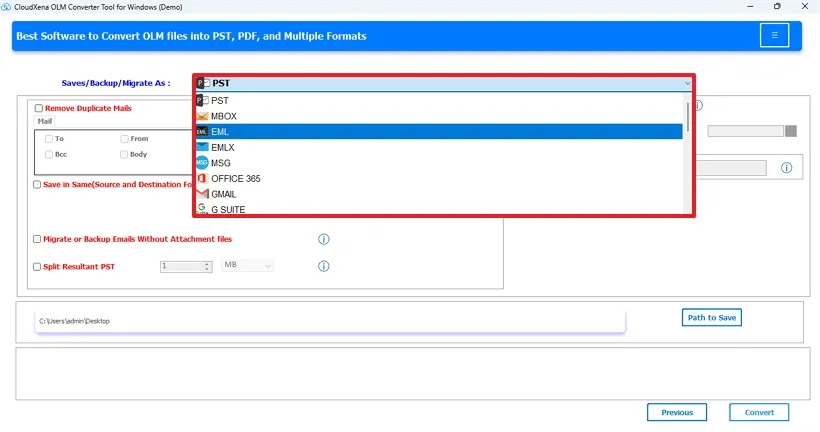
Not everyone needs the same output format, and this tool doesn't force you into one. You can save your OLM data as PST, MBOX, EML, EMLX, MSG, PDF, CSV, GIF, JPG, TIFF, HTML, MHTML, PNG, DOC, DOCX, VCF, or ICS, depending on what works for your situation. Whether you're moving to a different email client or just need a readable version of your emails, there's a format here that fits.
This feature lets you skip the whole export-then-import process and move your OLM data directly to a cloud or server account. It supports Office 365, Gmail, G Suite, Yahoo, Thunderbird, AOL, Hotmail, Zoho, Yandex Mail, iCloud, and IMAP accounts. The transfer happens through secure OAuth authentication, so your credentials aren't stored or exposed during the process. If you want your emails directly in your new account, this is the straightforward way to do it.
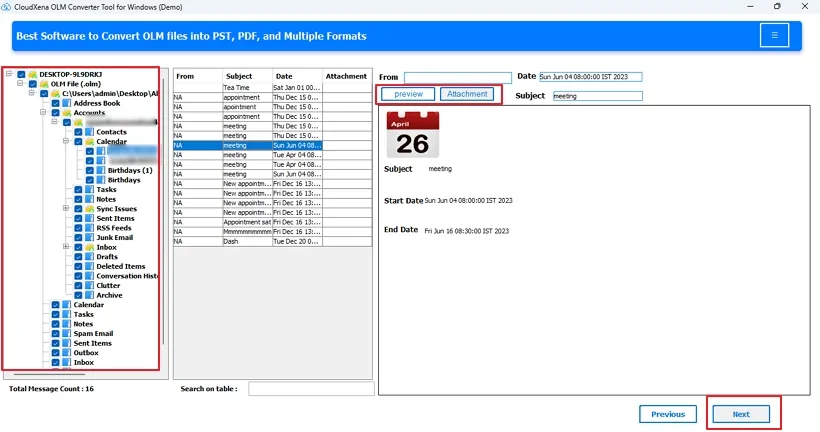
Before you actually run the conversion, the tool lets you preview your OLM files to check what's inside. You can verify the folder structure, confirm the data looks right, and make sure nothing is out of place before committing to the full export. The professional software works in read-only mode during this preview stage, which means that it does not modify your original files. This is useful when you're dealing with your very important data and want to be sure of the structure and content.
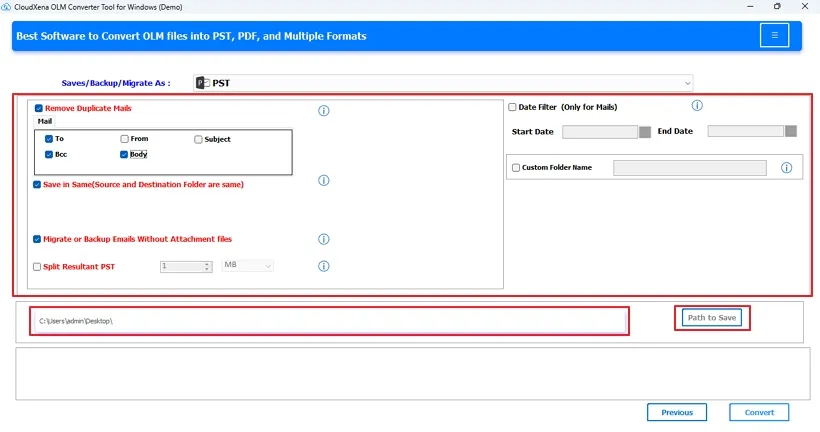
Duplicate emails are a common problem in older mailboxes, especially if data was backed up multiple times or synced across accounts. This exclusive feature scans your OLM files and identifies duplicates based on To, From, Subject, Bcc, and Body fields. Once found, you can choose to remove those duplicated and decide whether the cleaned-up output gets saved in the same location or a separate folder.
Sometimes you don't need everything, just emails from a specific time period or a particular set of folders. The date filter lets you set a start and end date so only the OLM data from that window gets converted. You can also choose if you want whether to include attachments or export them separately. This will help you to keep file sizes manageable.
This feature gives you more control over how your output files are named and organized. You can set a custom folder name so the exported data saves somewhere with a logical name on your system. If you're dealing with large OLM files, the Split Resultant PST option lets you divide the output into smaller chunks based on size, which makes it easier to manage and import elsewhere.
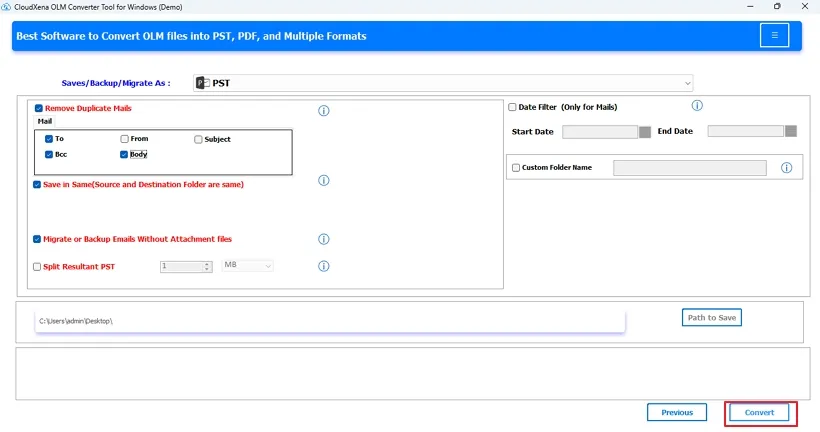
You don't need Outlook for Mac installed on your machine to use this tool, which matters a lot if you've already moved away from it or never had it to begin with. The software runs independently and walks you through the process step by step, so you don't need any technical background. It's built to work for regular users just as well as IT professionals.
The tool never modifies or deletes your original OLM files during the conversion. Your source data stays exactly as it was before you started the conversion process. Also, it generates a log report so you have a record of what was processed. It helps users to verify whether everything went through correctly or not. If you want to try it before committing, there's a free demo version that converts up to 50 emails per folder at no cost.
This converter runs on all major versions of Windows. It includes Windows 11, 10, 8.1, 8, 7, XP, and Vista. It also supports all versions of Outlook for Mac and handles OLM files of all versions they were exported from. The conversion completes without errors or security issues, and your original OLM files are left untouched throughout. It is a reliable option for both users working on an older system or a current setup.
Key --
Version: 26.02
Size: 253 MB
License: S/A/E/T
System Requirements --
Processor: Apple Silicon M1, M2, M3, M4, and newer Apple Silicon processors (including M5)
Memory: 500 MB required (1 GB recommended)
Operating System: macOS 10.13 High Sierra, macOS 11 Big Sur, macOS 12 Monterey, macOS 13 Ventura, macOS Sonoma, and later versions macOS (10.15 "Catalina") versions.
Technical Guide --
Note: The Demo version allows you to preview and convert upto 50 emails per folder, apart from functionality evaluation and performance review.
| Software Feature | Demo Version | Paid Version |
|---|---|---|
| Bulk OLM Conversion | ||
| Preview OLM Emails | ||
| Convert OLM to PDF, CSV, EML, MBOX, and 10+ file formats | Only the first 50 emails/folder | |
| Export OLM to Gmail, IMAP, and other email clients | Only the first 50 emails/folder | |
| No Outlook for Mac Installation Needed | ||
| No Size Limits | ||
| Skip Duplicates | ||
| Date and Naming Filters | ||
| Save in Same | ||
| Migrate With or Without Attachments | ||
| Support OLM for all Mac Outlook versions | ||
| All OS Compatibility | ||
| Get 24/7 technical support | ||
| Download | Purchase Now |
Testimonials
For over a decade, we’ve helped users solve their data-related challenges with secure and reliable solutions. Many of our customers have shared their experiences with us. Here are a few of their thoughts.
"The solution I needed for the migration of our department’s 50 GB+ OLM files was this excellent OLM Converter Tool. It kept the metadata, attachments, and everything else intact. We did not have to waste any time reorganizing folders and metadata manually. The batch process was very quick and accurate with no loss. Must say this is a great tool technically."
- Michael Carter
CANADA
"I needed a Mac Outlook to Office 365 migration workflow. The CloudXena OLM File Converter was the tool that changed how I work with files larger than 40 GB. The conversion and saving of emails, contacts, and attachments were flawless, and no information was lost. Batch processing saved hours of manual effort when exporting to the cloud and Office 365. I would highly recommend this for an easy cross-platform transfer."
- Jennifer Rodriguez
Australia
"I used several different OLM tools and found the CloudXena OLM Miggrator Tool to have the best features. The converter successfully recovered OLM files without issue. I was able to convert from OLM to PST and Gmail in minutes while preserving the read/unread status and folder hierarchy. A true revolutionary tool for Mac to Windows migrations."
- Sarah Miller
France