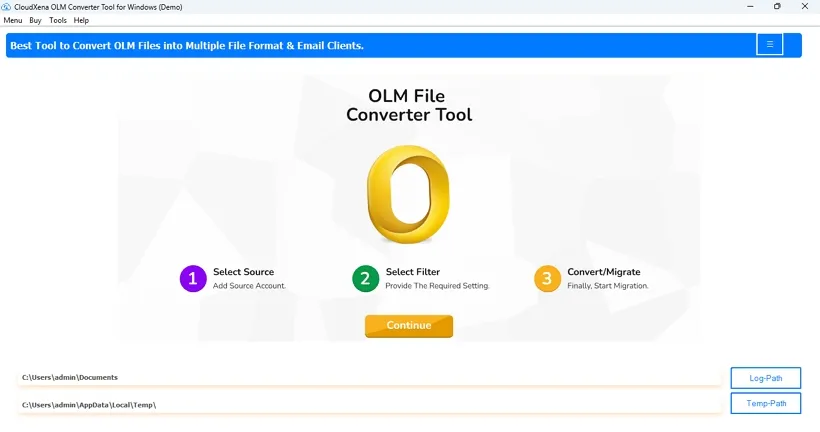
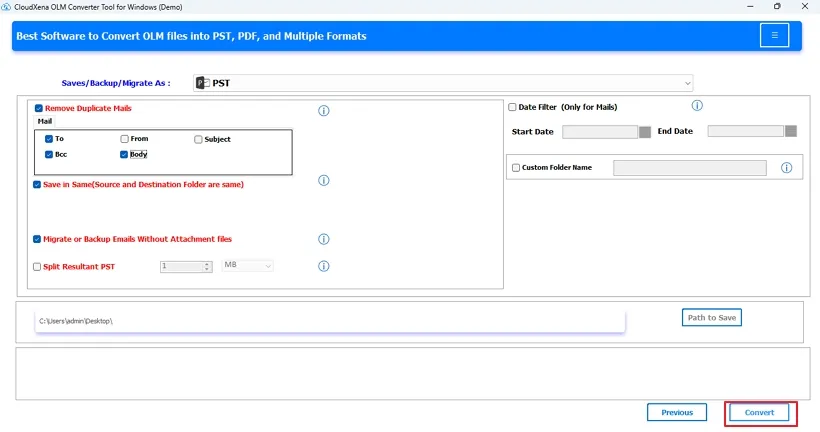
CloudXena OLM File Converter is a dependable and user-friendly software that simplifies Outlook for Mac conversion and offers precise results. The software provides users with a secure option to convert OLM files instantly in a few simple steps that even non-technical users can follow.
Why Do We Need CloudXena OLM Converter Tool?
CloudXena helps convert OLM emails scalably, accurately, precisely, and flawlessly, ensuring no data loss. It also doesn’t require you to install MS Outlook and functions flawlessly across all OS, saving time, effort, and storage on your Outlook for Mac.
The smart converter tool ensures that you can easily save all OLM emails, contacts, calendars, tasks, notes, etc. from the mailbox in bulk without any file size limitations and with 100% accuracy and zero loss.
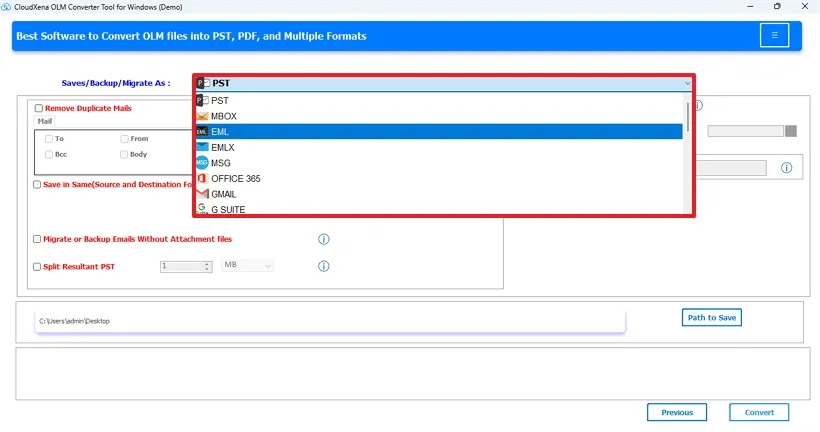
OLM Exporter Tool offers various file formats like PST, MBOX, EML, EMLX, MSG, PDF, CSV, GIF, JPG, TIFF, HTML, MHTML, PNG, DOC, DOCX, VCF, and ICS to save OLM files on the system locally at a location of your choice.
Use the ultimate CloudXena OLM Migration Tool to directly transfer OLM data on Office 365, Gmail, G Suite, Yahoo, Thunderbird, AOL, Hotmail, Zoho, Yandex Mail, iCloud and IMAP accounts for web and cloud server access with secure OAuth authentication.
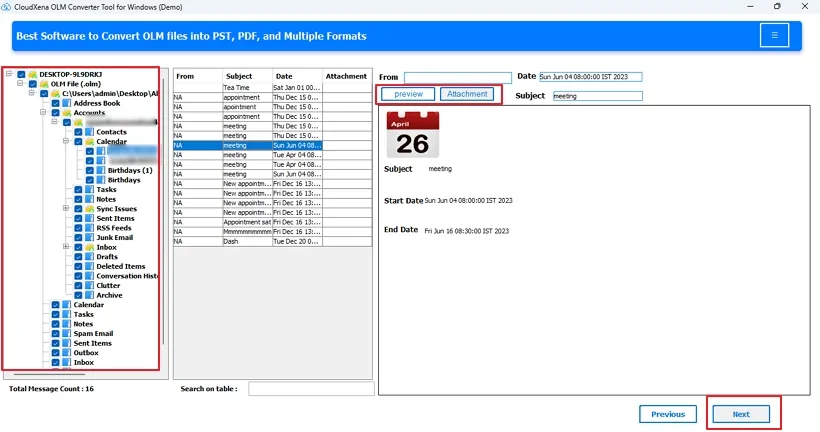
Save Outlook for Mac OLM files securely and check their data integrity and folder structure with a Preview feature before the conversion. Ensure that the folder structure is kept intact and all the data is secure without any storage by the software. The read-only mode guarantees data security.
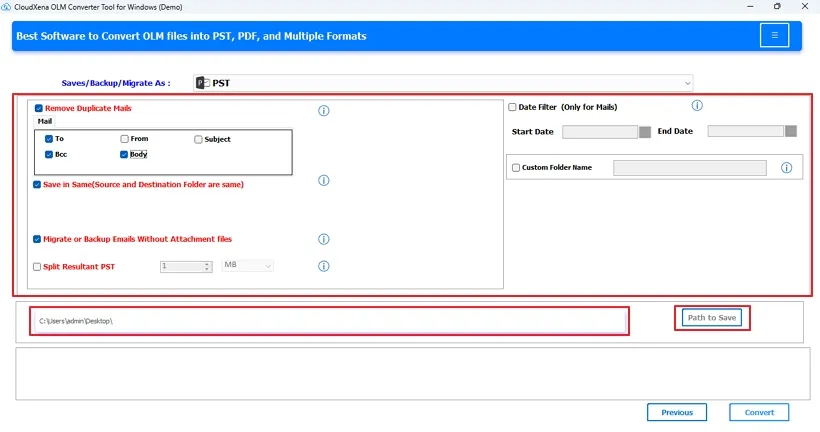
Use the Remove Duplicate feature of the software to skip similar emails from OLM based on To, From, Subject, Bcc, and Body, and choose to Save them in the Same or at a different location as per your choice.
OLM Converter Software Date Filter allows selective conversion of OLM files for a particular period with start and end dates, and allows you to migrate with or without attachments, save them separately, or convert to PDF.
The amazing OLM Converter Tool by CloudXena offers various other smart filters like Custom Folder Name and Naming Convention for easy identification, Split Resultant PST to divide large OLM files, and Require CSV Field to create an Excel sheet based on particular fields.
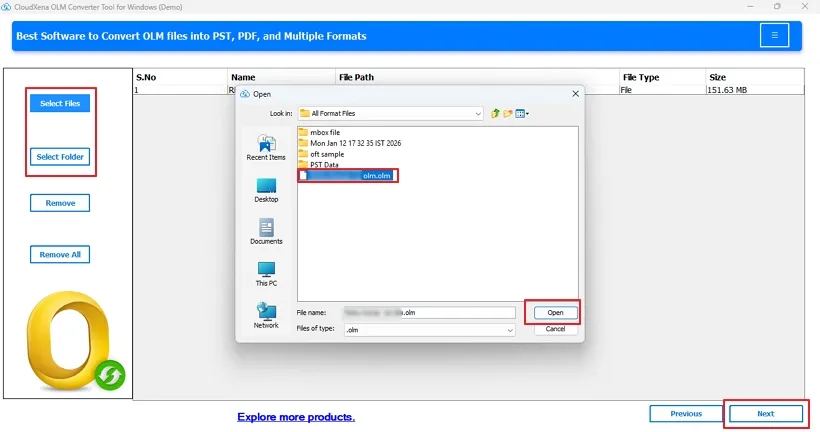
This easy-to-use software does not require Outlook for Mac installation and is suitable for all technical and non-technical users. Its step-by-step conversion makes the transfer easy without any expertise or technical skills, and provides accurate and optimal results as desired.
OLM File Converter ensures that users can securely transfer data with ease at once in minimal time, and generates a log report for the conversion process verification. Also, it offers a Demo Version for conversion of upto 50 emails per folder at no cost with 24*7 expert support.
The dedicated OLM Converter is widely compatible with all Windows OS, including Windows 11, 10, 8.1, 8, 7, XP, Vista, etc. It even supports all Outlook for Mac versions OLM files and ensures a complete conversion without any errors and security concerns. Thus, retaining the original OLM files intact.
Key --
Version: 26.02
Size: 253 MB
License: S/A/E/T
System Requirements --
Processor: Intel Core 2 Duo CPU E4600 @ 2.40GHz 2.39GHz.
Memory: 4GB required (8 GB recommended)
Operating System: Windows 11, 10, 8.1, 8, and previous versions
Technical Guide --
Note: The Demo version allows you to preview and convert upto 50 emails per folder, apart from functionality evaluation and performance review.
| Software Feature | Demo Version | Paid Version |
|---|---|---|
| Bulk OLM Conversion | ||
| Preview OLM Emails | ||
| Convert OLM to PDF, CSV, EML, MBOX, and 10+ file formats | Only the first 50 emails/folder | |
| Export OLM to Gmail, IMAP, and other email clients | Only the first 50 emails/folder | |
| No Outlook for Mac Installation Needed | ||
| No Size Limits | ||
| Skip Duplicates | ||
| Date and Naming Filters | ||
| Save in Same | ||
| Migrate With or Without Attachments | ||
| Support OLM for all Mac Outlook versions | ||
| All OS Compatibility | ||
| Get 24/7 technical support | ||
| Download | Purchase Now |
Testimonials
For over a decade, we’ve helped users solve their data-related challenges with secure and reliable solutions. Many of our customers have shared their experiences with us. Here are a few of their thoughts.
"The solution I needed for the migration of our department’s 50 GB+ OLM files was this excellent OLM Converter Tool. It kept the metadata, attachments, and everything else intact. We did not have to waste any time reorganizing folders and metadata manually. The batch process was very quick and accurate with no loss. Must say this is a great tool technically."
- Michael Carter
CANADA
"I needed a Mac Outlook to Office 365 migration workflow. The CloudXena OLM File Converter was the tool that changed how I work with files larger than 40 GB. The conversion and saving of emails, contacts, and attachments were flawless, and no information was lost. Batch processing saved hours of manual effort when exporting to the cloud and Office 365. I would highly recommend this for an easy cross-platform transfer."
- Jennifer Rodriguez
Australia
"I used several different OLM tools and found the CloudXena OLM Miggrator Tool to have the best features. The converter successfully recovered OLM files without issue. I was able to convert from OLM to PST and Gmail in minutes while preserving the read/unread status and folder hierarchy. A true revolutionary tool for Mac to Windows migrations."
- Sarah Miller
France