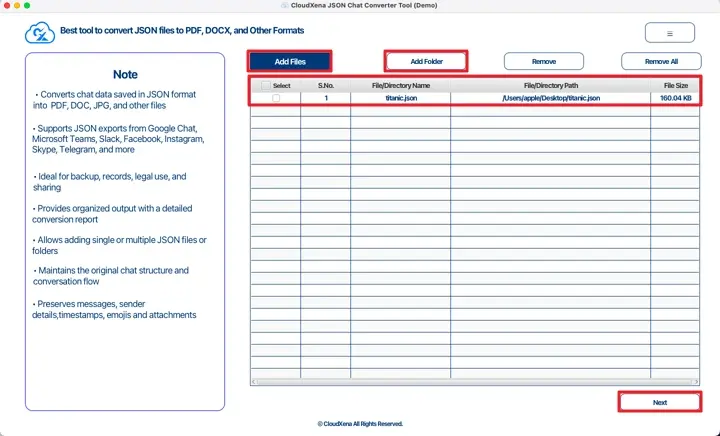
CloudXena JSON File Converter & Viewer helps users open, read, and convert JSON files without confusion. It allows you to view data clearly and change it into other formats when needed. This saves time, reduces manual effort, and makes JSON data easier to use for reports, sharing, or everyday work.
How Does the JSON Chat Converter Tool Work?
The utility is used to make the process easy and simple with minimal effort. It can be used by both beginners and professionals; it does not matter whether you have a technical background or not. Additionally, it supports multiple formats and provides accurate results.
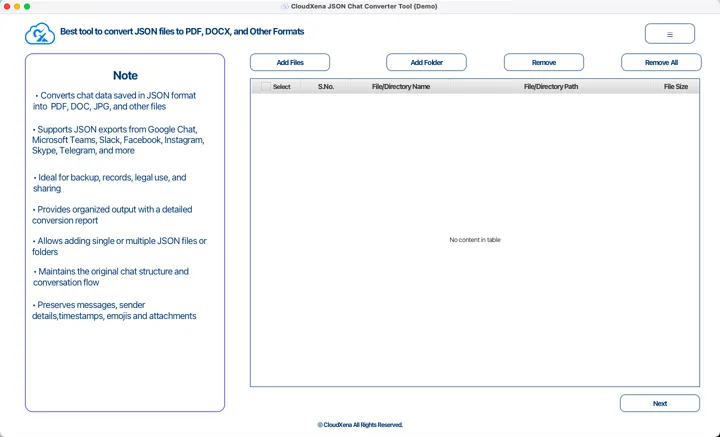
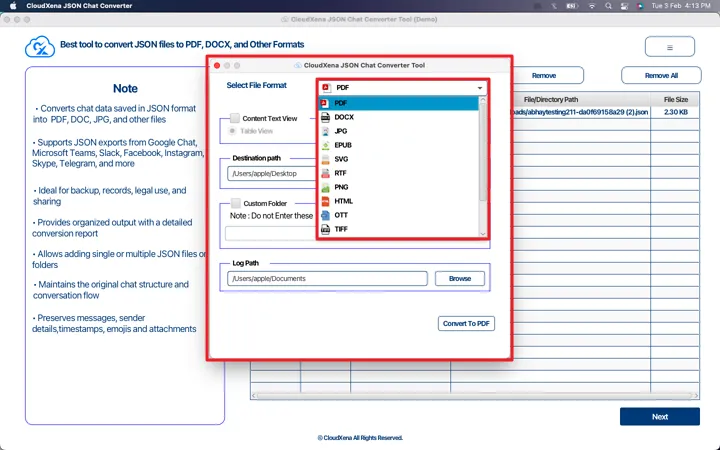
This tool lets you save JSON files in many formats, like PDF, DOCX, HTML, JPG, PNG, SVG, and others. The data stays readable and useful for reports or sharing.
You can convert one file or many files together. Folder structure stays the same, so nothing gets mixed up. It works smoothly even when many files are added.
JSON files from apps like Teams, Slack, Telegram, Instagram, or Google Chat can be easily converted. The tool handles this data without extra steps.
All data stays exactly as it is. Dates, sender names, emojis, and attachments are not changed or removed during conversion.
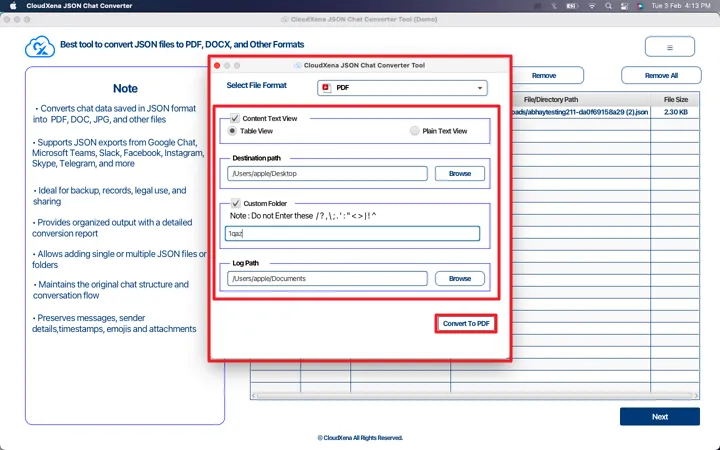
After conversion, you can view data in table form or plain text. You can rename folders and choose where files should be saved.
The software works offline and does not upload data anywhere. Files stay on your system and remain safe during the process.
Large JSON files are handled without freezing or crashing. The tool does not slow down your system while working.
After conversion, a report file is created. It shows file names and save locations, which helps keep records.
A demo version is available to test the tool. You can convert limited data to check results before buying.
The software runs on all common Windows versions, old and new, without special setup.
Key --
Software: CloudXena JSON Converter Tool
Version: 26.01
Size: 251 MB
License: S/A/E/T
System Requirements --
Processor: Mac System with Apple Silicon Processor M1, M2, M3, and M4 series
Memory: 8 GB (16 GB Recommended)
Supported Windows: 11, 10, 8.1, 8, 7, 2008, 2012 (32 & 64 Bit), and other Windows versions.
Technical Guide --
Note:The demo version lets you view and convert up to 20 key values in each folder, giving you enough access to check the features and see how well the software performs before upgrading.
FAQ --
| Software Feature | Demo Version | Paid Version |
|---|---|---|
| Process Multiple JSON Files | ||
| Export JSON to 10+ Formats | 20 Key Values with Watermark | All |
| View JSON File Information | ||
| Text-Based Content Filter | ||
| Rename Output Folders | ||
| Choose Save Location | ||
| Original Data Protection | ||
| Works on Windows Systems | ||
| 24×7 Support & Secure | ||
| Download | Purchase Now |
Testimonials
For more than 10 years, we’ve been supporting users with safe, dependable data solutions. Over time, many customers have shared their feedback and experiences with us. Below are some of their comments and opinions.
“We had a large number of JSON files that needed to be converted for reporting. CloudXena JSON File Converter handled everything smoothly. The data stayed intact, and the process was much faster than doing it manually.”
- Alejandro
Operations Head
“I’m not very technical, but this tool was easy to use from the start. I could open and convert JSON files without any confusion. It saved me a lot of time at work.”
- Sven Eriksson
IT Infrastructure Manager
“We used the converter to process chat data exported in JSON format. The results were clean and readable, and nothing was missing. Overall, it’s a reliable tool that does exactly what it promises.”
- Carlos Alvarez
University Professor
Start with our free trial to test all features, then upgrade for unlimited
conversions.
One-time purchase with lifetime updates - no recurring fees.
Saving Options:
Saving Options:
Saving Options:
Saving Options: