CloudXena

EML Converter Tool

Best Gateway to Automatic EML File Migration

Rated ( 4.9/5 ) by 1234 Users

This tool effortlessly converts emails into PST, PDF, MSG, and more, while also supporting mailbox migration. Its intuitive bulk conversion feature requires no technical skill, making it ideal for all users.

  • Export to PST, PDF, MBOX, MSG, DOC, etc.
  • Upload directly to Gmail, Outlook, Yahoo, and more.
  • Convert unlimited files in a single, time-saving batch.
  • Split large PSTs and remove duplicate emails effortlessly.
  • Free demo available; fully compatible with all Mac & Windows OS versions.
product-box

Prominent Features of Cloudxena EML Converter Software

Open and Convert EML File on Mac

Open and Convert EML File on Mac

This tool opens and converts the EML files into the PST, MBOX, PDF, HTML, DOC, CSV, MSG, and DOCX file formats on any Mac Device. There is no chance of any kind of loss of data during the conversion process.

Export EML File to Many Email Clients

Export EML File to Many Email Clients

The ultimate software enables exporting the EML file in various popular email clients such as Gmail, Yahoo, iCloud, Zoho Mail, Hotmail, etc. All you need to do is provide the credentials once for the specific client.

Bulk Conversion of EML Files

Bulk Conversion of EML Files

EML Converter eases the process of conversion by accepting multiple EML files at once. Also, it supports the conversion of large EML files of any size and number with no downtime or restrictions.

Preview EML Files

Preview EML Files

Before conversion, this excellent tool offers you the Preview option. Through it, you can see your emails and attachments. Also, you can select the folder and pick them to convert by maintaining the folder hierarchy.

Remove Duplicates

Remove Duplicates

The EML File Converter Tool has a Remove Duplicate feature to skip similar emails from the folder based on To, From, Body, Subject, and CC. It saves storage space and ensures a cleaner, more organised mailbox without affecting original data.

Smart Filters Options

Smart Filters Options

This specialized utility offers various smart advanced filters, such as Date Filter (to filter according to start or end date), Attachments option, and the Naming feature. Hence, easily migrate according to the preferences of the chosen custom filters.

User-Friendly GUI

User-Friendly GUI

The EML Converter Tool online free consists of an easy, friendly user interface. This makes it easy for both technical and non-technical users to operate without any hassle. It ensures a smooth conversion process from start to end without any kind of losses.

Software Compatibility

Software Compatibility

This tool is compatible with various versions of Mac operating systems, like macOS 13 Ventura, OS 12 Monterey, OS 11 Big Sur, and below versions. This ensures seamless performance across different OS environments without any compatibility issues.

Why Choose EML Converter Toolkit?

How does the CloudXena EML File Converter Tool work?

This expert-advised tool has an easy-to-use interface that allows user to convert their file without any confusion. It can convert multiple files in 10+ file formats and 7+ email clients with various advanced features. Moreover, the data is secured and remains corruption-free during the whole process.

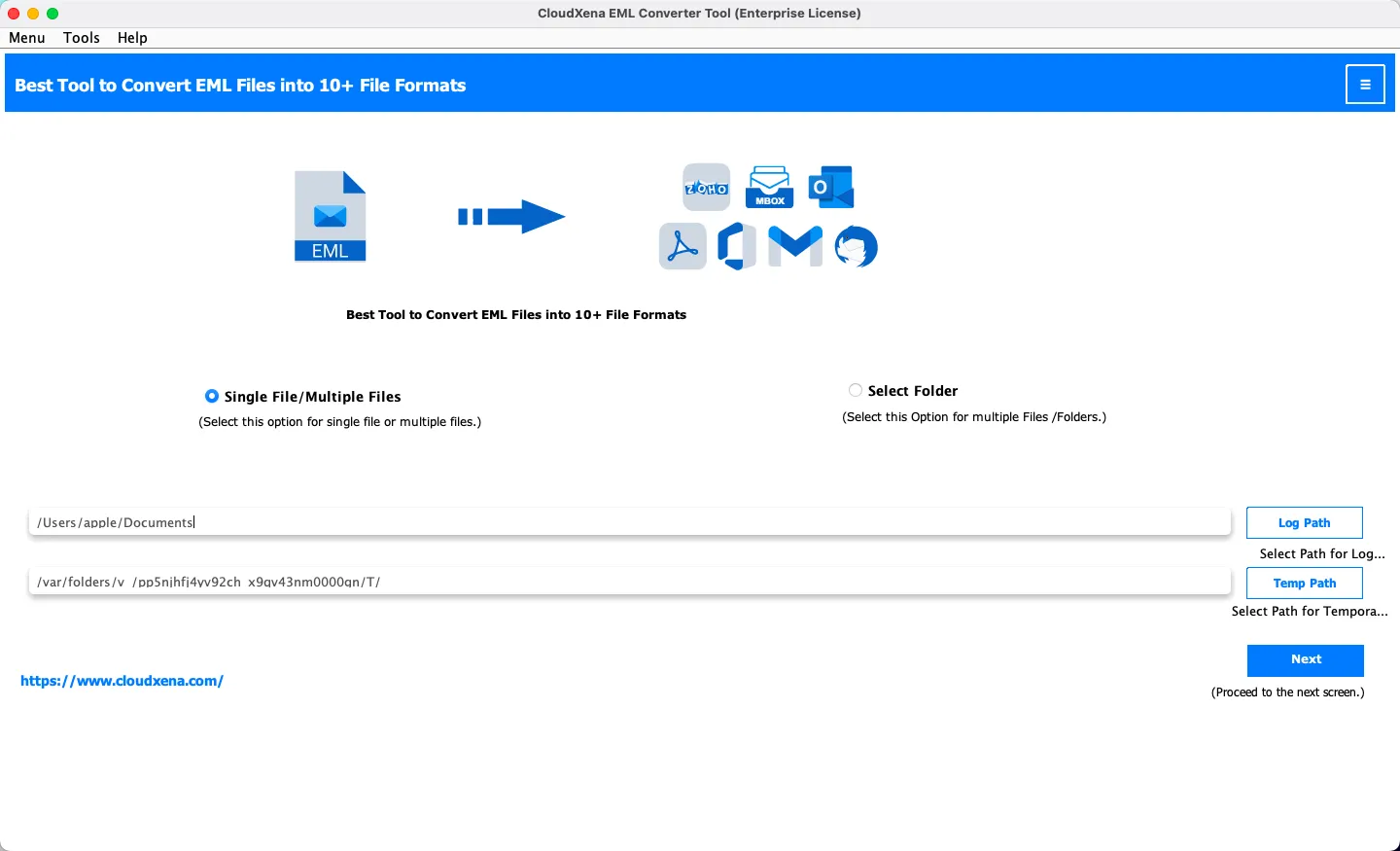
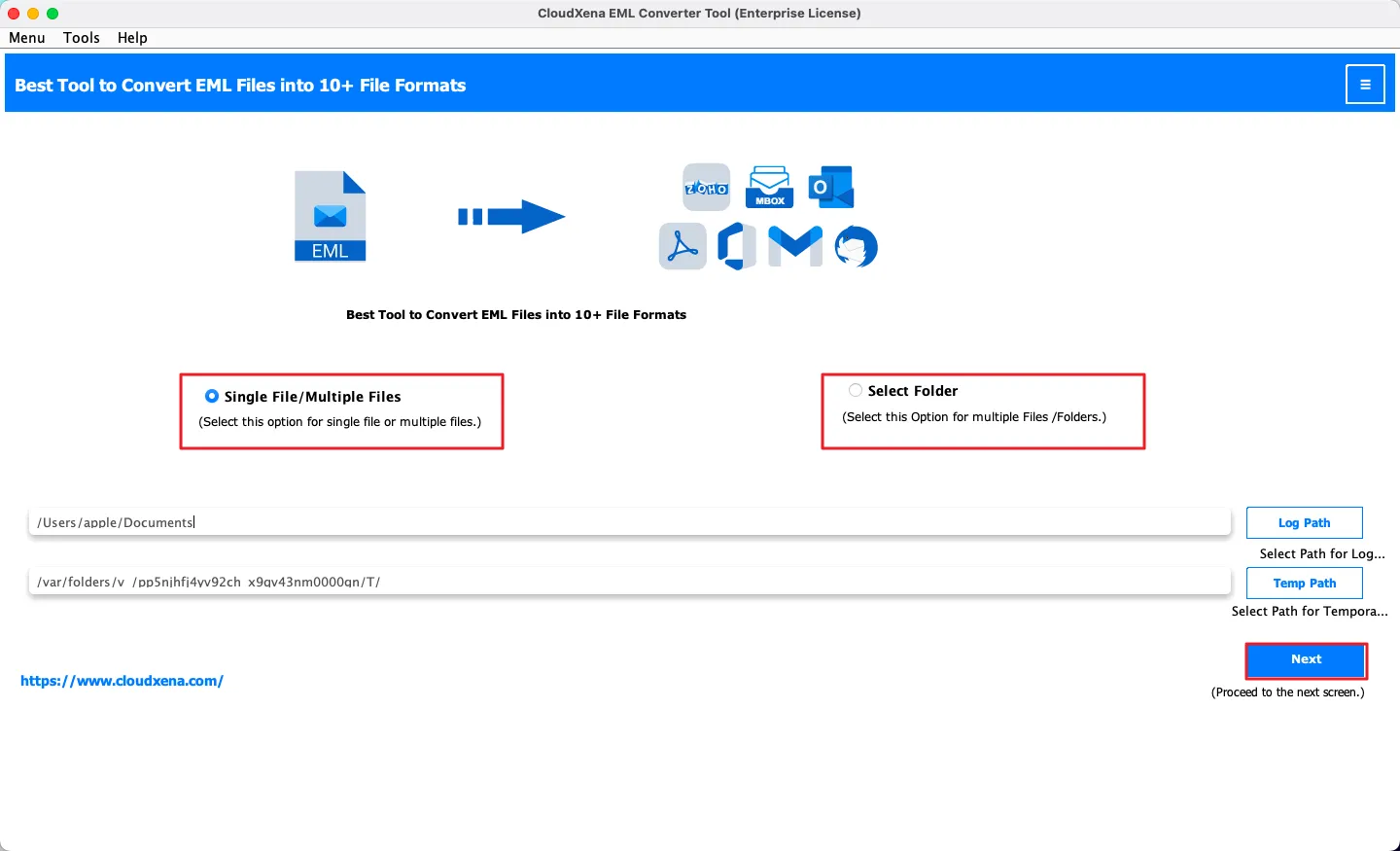
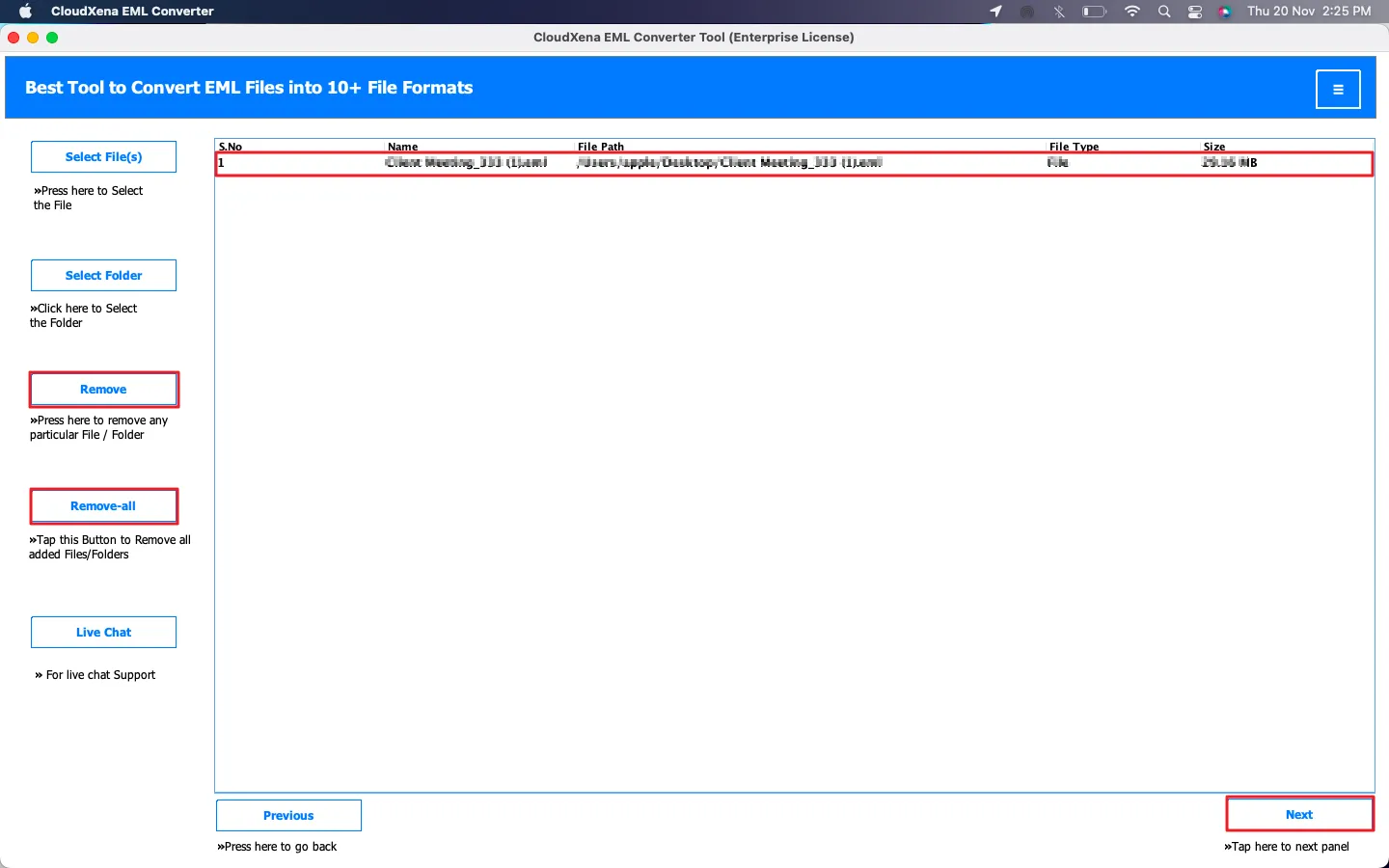
  • Run CloudXena EML Converter Tool on your device.
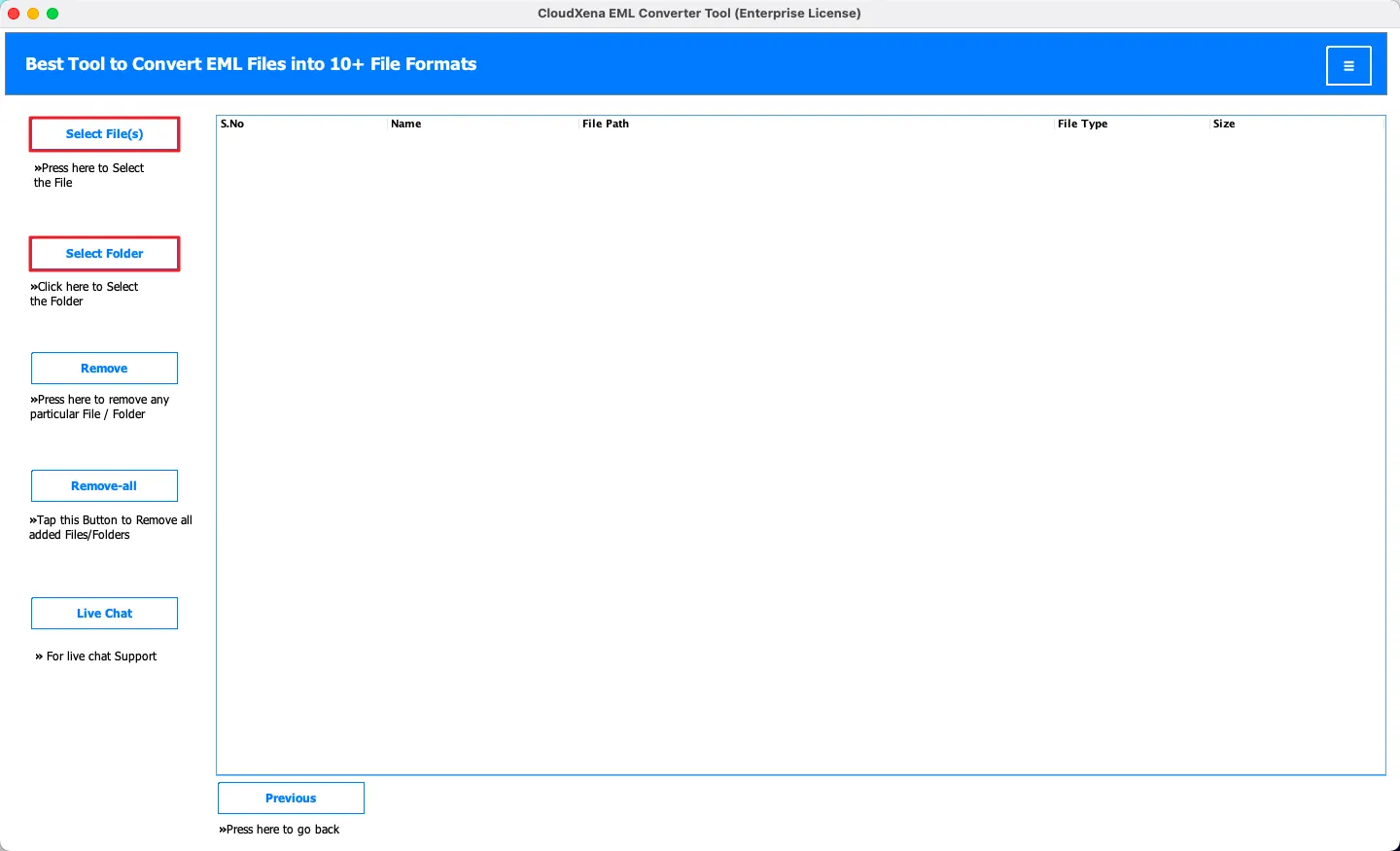
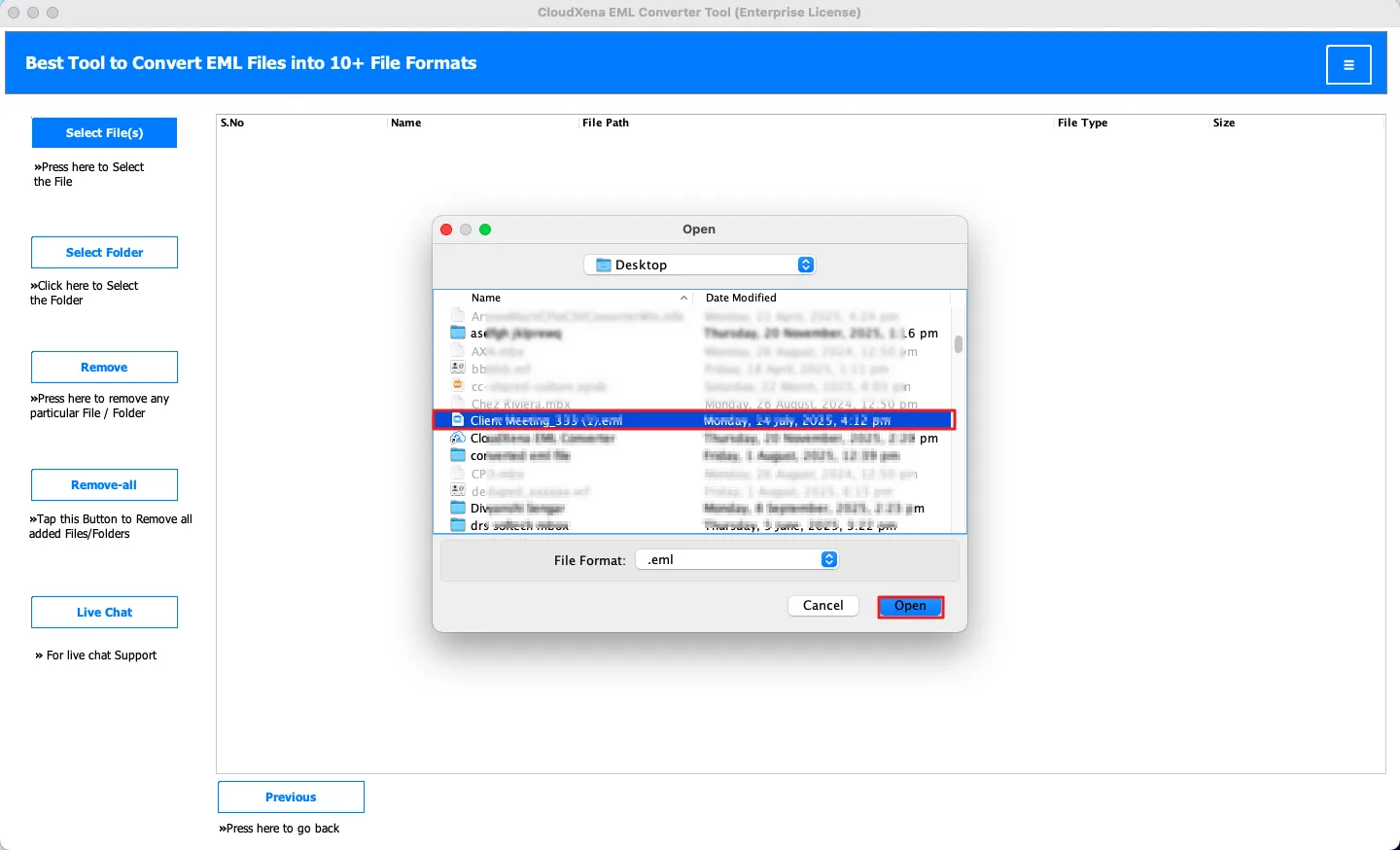
  • Select the EML Folder/File to convert, and click Next.
  • Tick and preview your emails and folders, and click Next.
  • Now, select the file format or email client and use the advanced features, if required.
  • Finally, click Convert and get your output file.

Why do we need CloudXena EML Converter Toolkit?

If any user wants to convert their file into any different format for any migration, recovery, or backup purpose. This requires an effective specialized tool to convert, for which the best solution is CloudXena EML File Converter Tool. It provides quality results without any data loss in minimal time.

Technical Specification - EML Converter Tool Download

Key --

Software: CloudXena EML Converter Tool

Version: 25.03

Size: 247MB

License: S/A/E/T

Updates: March 2025

System Requirements --

Processor: Mac System with Apple Silicon Processor (M1 and M2), Intel Processor

Memory: 500 MB Required (1 GB Recommended)

Operating System: macOS 13 Ventura, OS 12 Monterey, OS 11 Big Sur, and below versions.

Note: The EML Converter Tool free download allows you to test the accuracy of the tool. With the demo version, you can convert up to 50 emails per folder at no cost.

FAQ --

Ans- If yes, please, please temporarily disable your antivirus or whitelist the software for a smooth installation.
Ans- Please disable your antivirus or Windows Defender temporarily and allow access from its settings by adding our software to the exception list. If still blocking, then clear the browser cache and remove all the temporary files from the system.
Ans- Yes, it perfectly works on such storage technology as long as the file access is transparent, which is usually the case.
Comparison of EML Converter Tool - Free vs Paid
Software Feature Demo Version Paid Version
Convert EML Files to MBOX, PDF, XLSX, DOCS, DOC, etc. 50 Emails per folder
Export EML Files to Office 365, Gmail, Yahoo Mail, AOL, etc. 50 Emails per folder
Handle/Process Both Single and Multiple EML Files
Split Resultant PST File
Migrate EML Files on Mac without Attachments
Save PDF Attachments Separately
Custom Folder Name Option
Date Range Filter Feature
Naming Convention Option
Remove Duplicate Emails
24*7 Tech Support
Download Purchase Now

Testimonials

Trusted by Thousands of Users Worldwide

CloudXena EML Converter Tool has helped individuals, businesses, and IT professionals securely convert and manage their EML files with ease. Whether you need to migrate emails, back them up, or access them on different platforms, our software delivers fast, accurate, and reliable results. See what our customers have to say.

Source Forge Slashdot Slashdot

Choose Your Perfect Plan

Start with our free trial to test all features, then upgrade for unlimited conversions.
One-time purchase with lifetime updates - no recurring fees.

Single User License

$49

  • License Validity ( 1 Year )
  • (Unlimited Files)
  • For Personal Use
  • 24*7 Sales Support

Saving Options:

  • PST, PDF, MSG, MBOX, EML, EMLX, CSV, XLSX, OFT, WDSEML
  • Word (DOC)
  • Gmail, Yahoo Mail, Office 365, Google Workspace (G Suite)
  • Thunderbird, Hotmail, and IMAP Mail
  • iCloud Mail, HostGator, and GoDaddy Webmail
Administrator License

$199

  • License Validity ( 2 Years)
  • (Unlimited Files)
  • For Organization
  • 24*7 Sales Support

Saving Options:

  • PST, PDF, MSG, MBOX, EML, EMLX, CSV, XLSX, OFT, WDSEML
  • Word (DOC)
  • Gmail, Yahoo Mail, Office 365, Google Workspace (G Suite)
  • Thunderbird, Hotmail, and IMAP Mail
  • iCloud Mail, HostGator, and GoDaddy Webmail
Enterprise

$399

  • License Validity ( 5 Years )
  • (Unlimited Files)
  • AMC Service Provider
  • 24*7 Sales Support

Saving Options:

  • PST, PDF, MSG, MBOX, EML, EMLX, CSV, XLSX, OFT, WDSEML
  • Word (DOC)
  • Gmail, Yahoo Mail, Office 365, Google Workspace (G Suite)
  • Thunderbird, Hotmail, and IMAP Mail
  • iCloud Mail, HostGator, and GoDaddy Webmail
Frequently Asked Question
Ans-If you want to convert your EML files into PDF format, then follow the given steps below:
  • Firstly, download the CloudXena EML Converter Tool.
  • Then, select your folder or file and click Next.
  • Now, select your folders and preview the emails or attachments >> Next.
  • Next, choose the PDF format and apply the required filters.
  • Finally, set the destination and click Convert.
Ans- Yes, this dedicated EML Converter tool for Mac supports batch conversion of EML files in many formats. It ensures a smooth file conversion and provides an error-free experience.
Ans- Yes, this too offers a trial version where you can convert 50 emails per folder for free. It helps you to understand the need, accuracy, and result of the tool.
Ans- The software ensures 100% security, preserving folder hierarchy, attachments, and metadata throughout the conversion process.
Ans- This software is built with a simple and intuitive interface, making it suitable for beginners and professionals.
Ans- Yes, this tool is available for both operating systems. It is accessible in the ultimate version of the Windows operating system and smoothly runs on all your Mac OS versions too.