CloudXena

CloudXena PST to Office 365 Migration Tool

Rated ( 4.9 ) by 4580 Users

Move your Outlook data to Office 365 on all Windows versions without any hassle.

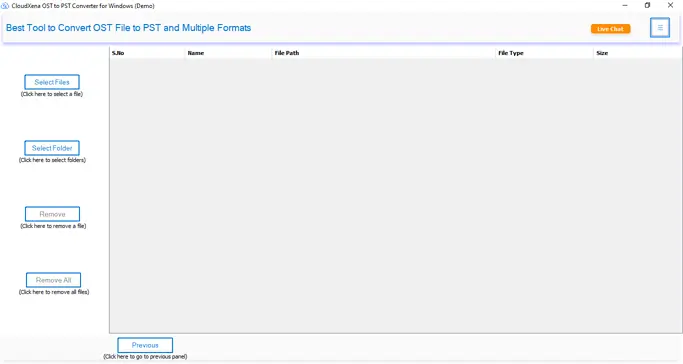
CloudXena PST to Office 365 Migration Tool helps you move Outlook PST files directly into Microsoft 365 without any complicated process. It eliminates the need for repeated steps or manual intervention during migration. All your email data comes through clean, including attachments. It also supports bulk migration, so you can handle multiple PST files at the same time without much effort.

  • Easily upload multiple PST files to Exchange Online in one go using modern authentication.
  • Move PST data to primary, archive, or shared mailboxes in Microsoft 365 without worrying about file size limits.
  • Preview emails with attachments
  • No need to install Microsoft Outlook on your system to run the migration.
  • Let's you preview emails and attachments before starting the process.
  • Maintains original folder structure and keeps your data unchanged during migration.
  • Gives options to exclude attachments and rename folders as needed.
  • Works with multiple Outlook and Exchange Online versions, including older editions.
  • Compatible with both newer and older Windows operating systems.
product-box

Why Choose PST to Office 365 Converter Software?

Who Is It For?

This tool works for a pretty wide range of users:

  • IT admins handling large-scale mailbox migrations across an organization.
  • Business users switching from a local Outlook setup to a cloud-based Office 365 account.
  • Individuals who have old PST files sitting around and need to get that data into an active mailbox.
  • System administrators managing multiple user accounts who need bulk migration done quickly.

If you're dealing with one PST file or hundreds, the tool handles both without much difference in effort.

Common Problems PST to Office 365 Importer Solves

Most people run into the same few issues when trying to import PST to Office 365 manually:

  • Outlook crashes or slows down when importing large PST files through the native import wizard.
  • Attachments go missing, or emails show up in the wrong folders after migration.
  • Duplicate emails pile up because there's no filter to catch them during a manual import.
  • The process has to be repeated file by file, which takes a lot of time when dealing with bulk data.

This PST to Office 365 Migration Tool addresses all of these directly. Large files don't cause performance issues, attachments stay linked, duplicates get skipped, and bulk processing means you're not stuck doing things one at a time.

Prominent Features of PST to Office 365 Export Software

pst-file.webp

PST to Office 365 Migration

Moves all your PST data emails, calendars, contacts, tasks, and attachments directly into Office 365 Primary, Archive, and Shared mailboxes. The whole process runs in one go with no data alteration.

bulk-file

Import Large PST Files Without Limits

Handles large and bulky PST files with or without attachments. There's no restriction on file size or count. The tool processes everything quickly and delivers data to the selected mailbox in its original form.

preview

Preview PST Data Before Migration

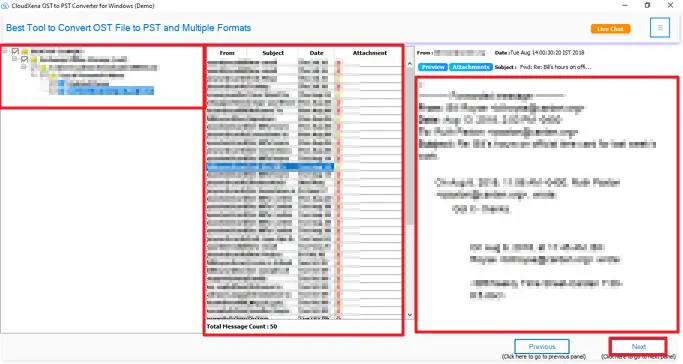
Browse through all items inside your PST file before anything gets migrated. You can check message content, attachments, and meta details, then select exactly which folders or mailboxes you want to move.

filter

Selective Migration with Date Filter

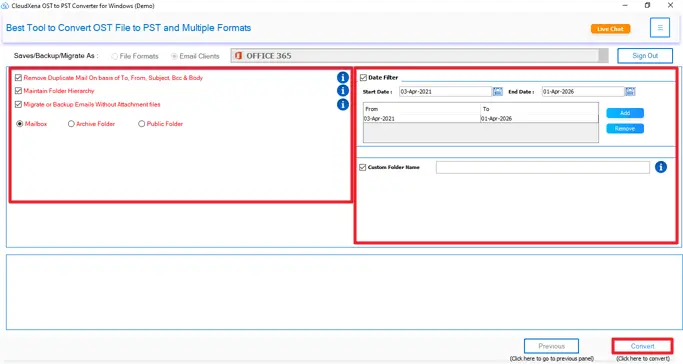
Don't want to migrate everything? Set a Start and End Date to pull only the data from a specific time period. Everything outside that range stays where it is.

remove-duplicates

Migrate Without Duplicate Emails

The built-in duplicate removal feature checks each email against fields like To, From, BCC, Subject, and Body before migrating. Unique emails go through with no clutter on the other end.

folder-name

Folder Structure Stays Intact

The original folder hierarchy, formatting, and header details are all preserved during migration. What you had in your PST file is exactly what shows up in Office 365.

date-filter

Smart Filters for Better Control

Skip attachments if you don't need them, set a custom folder name for easy identification, and choose where to save the output. These filters give you control over what gets migrated and how it's organized.

window

Works Across All Windows Versions

Compatible with all Windows-based systems and supports Outlook versions up to 2019. Both ANSI and UNICODE PST files are supported. The free version lets you migrate up to 50 emails per folder at no cost.

Software Specification of PST to Office 365 Migration Tool

Key --

Software: CloudXena PST to Office 365 Migration Tool

Version: 25.09

Size: 233 MB

License: S/A/E/T

System Requirements --

Processor: Intel® Core™2 Duo E4600 Processor 2.40GHz

Memory: 8 GB (16 GB Recommended)

Supporting Windows: 11, 10/8.1/8/7/, 2008/2012 (32 & 64 Bit), and other Windows versions.

Note: The Demo version allows you to preview and convert upto 50 emails per folder, apart from functionality evaluation and performance review.

Frequently Asked Questions
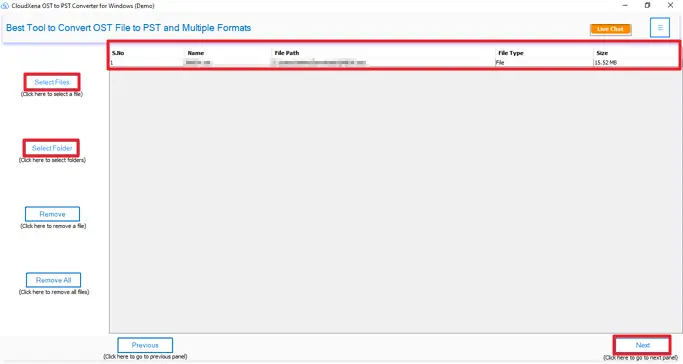
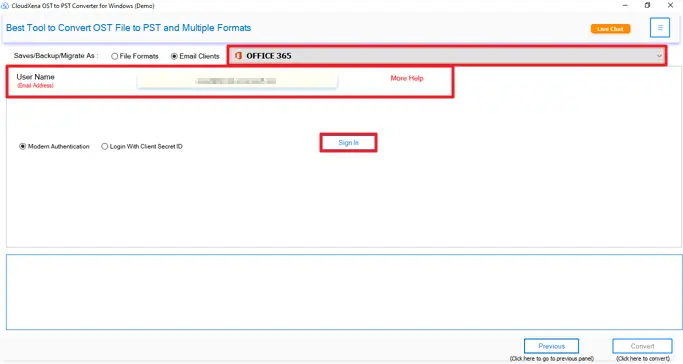
Ans- It's pretty simple. Install the tool, add your PST files, put in your Office 365 login details, select where you want the data to go, and start the migration. That's basically it, no technical steps involved.
Ans- Yes, everything stays the same. Folders, emails, attachments, nothing gets reshuffled or modified. Once migration is done, your Office 365 mailbox looks just like your original PST setup.
Ans-Nope. You can throw in small files or really large ones; the tool doesn't care either way. No errors, no size restrictions, nothing like that.
Ans-No, you don't. A lot of people assume you do, but the tool runs fine on its own. Outlook doesn't need to be on your machine at all.
Ans-Yes. You can pick folders manually before starting. There's also a date filter if you only need emails from a certain time period. You're not forced to move everything.
Ans-The demo caps you at 50 emails per folder, good enough to test things out and see how it works. The full version has no such limit and unlocks everything.
Ans-Yeah, no problems there. Outlook 2016 and Windows 10 are both fully supported. You won't run into any compatibility issues.
Ans-You can migrate to Primary, Archive, or Shared mailboxes. Just pick the one you need before you start. It's one of the options you set before hitting migrate.
Free vs Full Version: PST to Office 365 Migration Tool
Features Demo Version Paid Version
Add single or multiple PST files at once
Export PST to Public, Archive, and mailbox folders in Microsoft 365 50 emails per folder No limits
Preview emails and attachments
Migrate PST files to Office 365 50 emails per folder Complete migration
Keeps data safe and unchanged
Apply date-based filters
Remove duplicate emails
Option to rename folders
Works with Microsoft Outlook, Exchange, and Windows OS
24/7 support with secure processing
Money-back guarantee Download Purchase Now

Testimonials

What Our Users Have to Say

We have been helping users manage and migrate their data safely for over a decade. Along the way, countless customers have taken the time to share what their experience with our tools has been like. Here are a few of their honest thoughts.